Mail rules
Rules are per-mailbox governance: they file mail into folders, tag it, bundle low-signal senders, and — on agent desks — hold outbound replies for a guardian's signature. You write them in plain English; Cohort compiles them to an explicit policy you can read before saving.
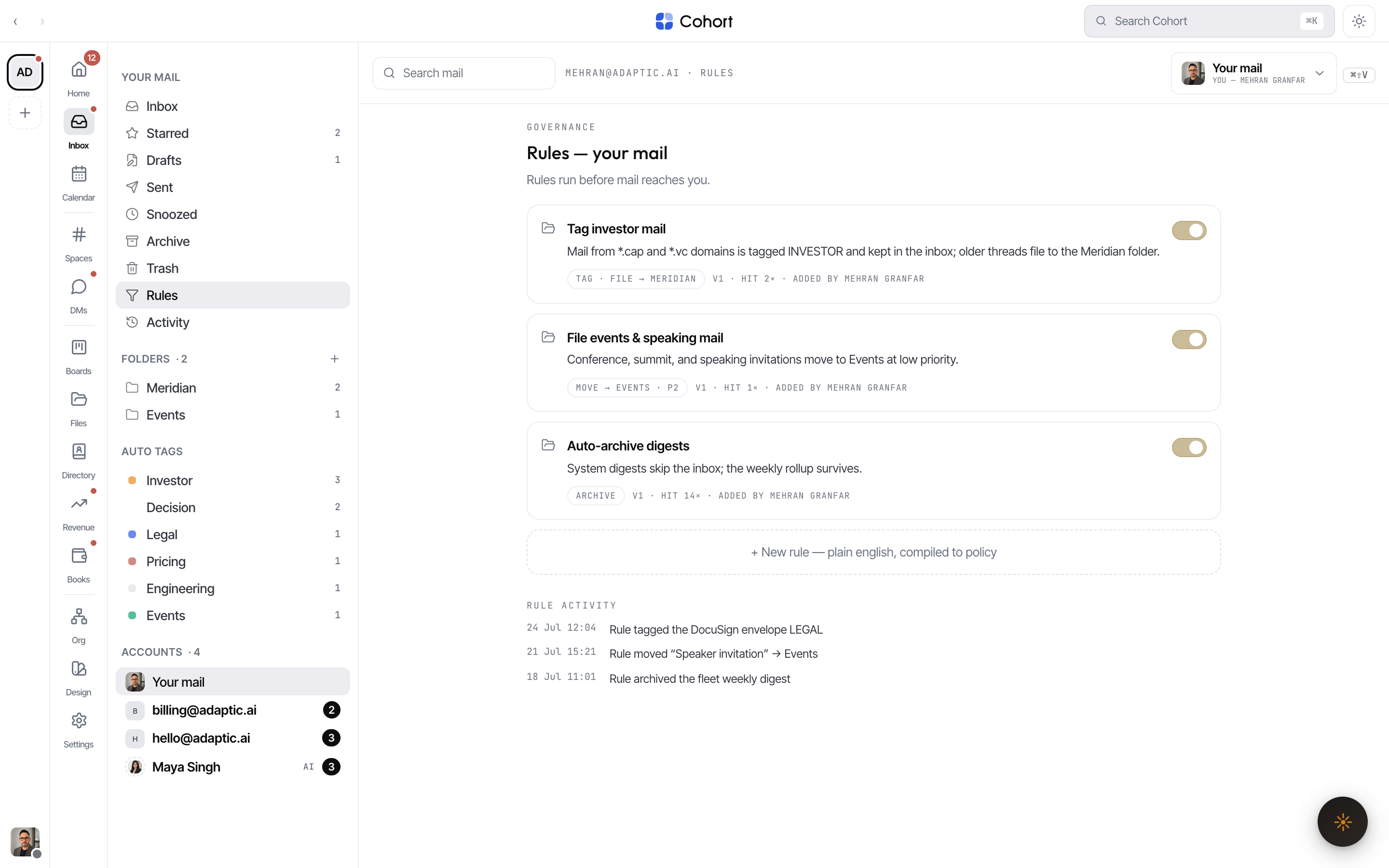
Create a rule
- Open Rules on the right desk
Rules are scoped to one mailbox. Pick the account in the Inbox rail, then open its Rules entry.
- Press New rule
Name it, then describe what you want in plain English — for example "file invoices and receipts into Finance" or "hold any reply that quotes a price".
- Check the compiled policy
The dialog shows a live preview of the policy your sentence compiles to. What you read there is exactly what will run — the server recompiles the same way on save.
- Save
The rule appears as a card with its description, a mono action chip, and an on/off switch. New mail is evaluated against enabled rules in creation order.
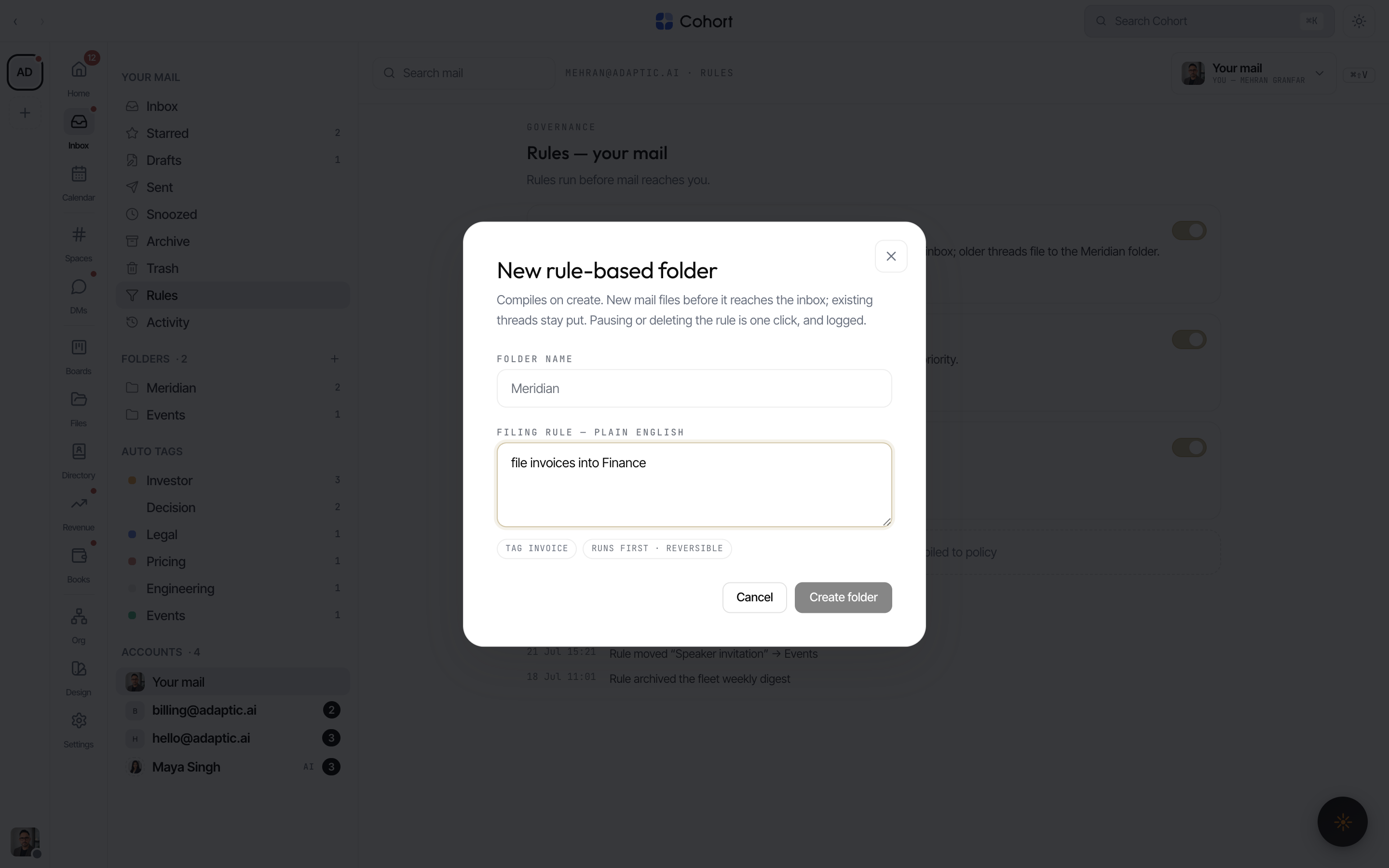
Rule-based folders
New rule-based folder creates the folder and its filing rule in one step — the folder appears in the rail, and threads it files carry a FILED BY chip naming the rule. Renaming the folder later doesn't break the rule.
What rules can do
| Effect | Where you see it | | ------------------ | ------------------------------------------------------------------------------------------------------------------------------- | | File into a folder | The thread moves; its row shows FILED BY the rule | | Tag | Auto tags appear in the rail's tag group | | Bundle | Low-signal mail is folded into a digest bundle — bundled threads never light badges or ping | | Hold outbound | Agent-desk sends stop in Approvals for a guardian signature (see Shared mailboxes & agent mail) |
Audit what a rule did
The rules page ends with the rule activity feed — each entry names the rule and what it did, including holds ("Held an outbound draft — …" with the policy line it cited). Manual triage uses the same verbs rules use, so you can always correct a rule's priority, category, or tags directly on the thread.
Each card's switch disables the rule without deleting it — useful when you're not sure whether a filing rule or a hold is still wanted. Disabled rules simply stop matching; their history stays in the feed.