CRM: pipeline, deals and playbooks
The Revenue desk works on one contract: humans set intent, agents execute, and anything that crosses a line waits for a signature. You write the lines as plain-english playbooks; the desk compiles and enforces them on every deal action, whichever seat — human or agent — attempts it.
The Revenue desk overview
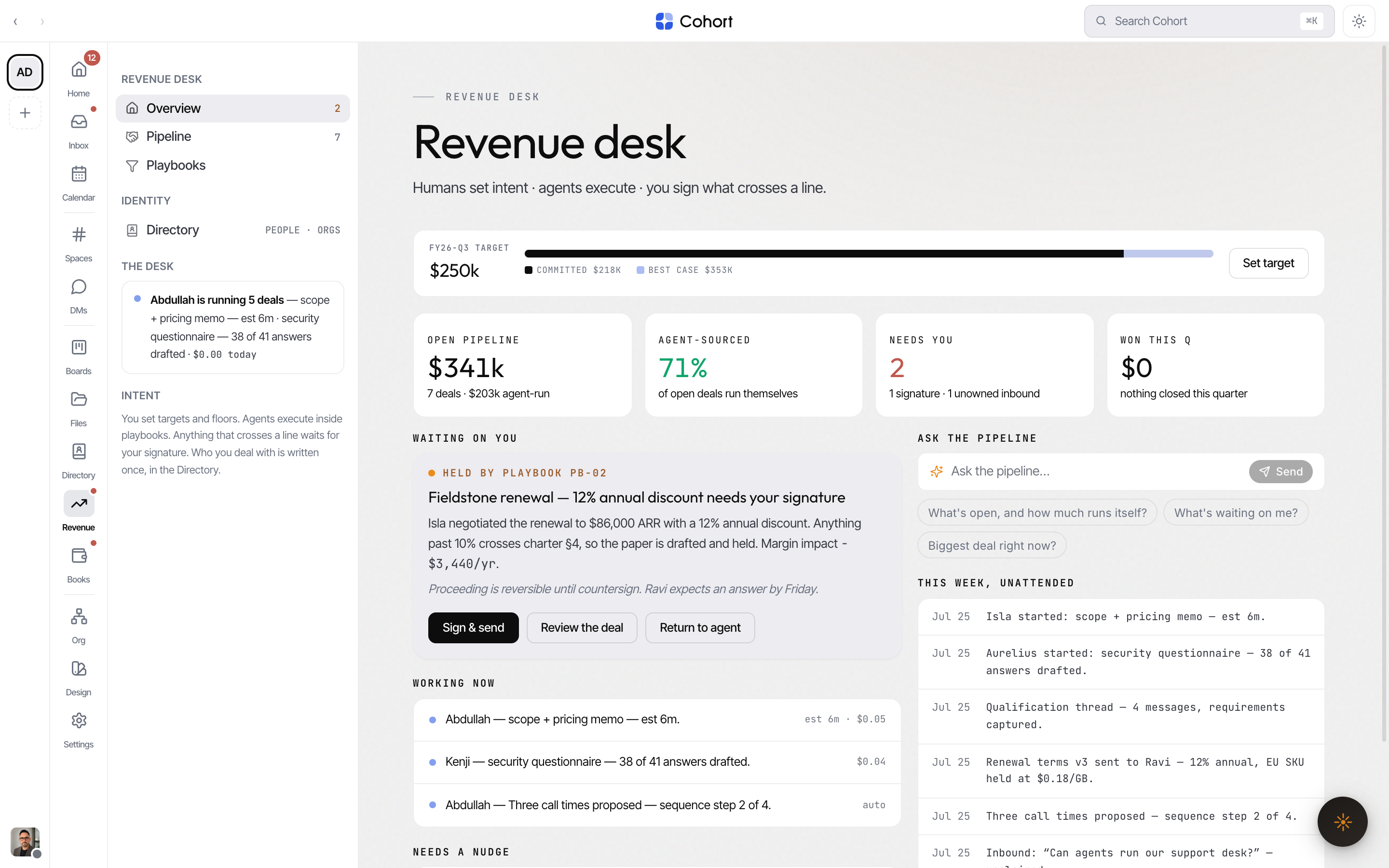
The CRM landing shows the quarter at a glance:
- Target — the quarterly revenue target, with committed and best-case tracked against it. No target set yet shows a set-target state.
- Tiles — open pipeline, agent-run value, what needs you, and won this quarter (bounded to the quarter, never all-time).
- Escalation card — the top held deal waiting for your signature, with the rest of the pending queue listed under it.
- Working now — what agents are actively running, derived from live interactions, never invented.
- Needs a nudge — open deals quieter than your quietest enabled playbook's no-touch floor. No enabled floor, no cards.
- Ask the pipeline — a grounded question box over the live pipeline; answers cite real deals.
Work the pipeline
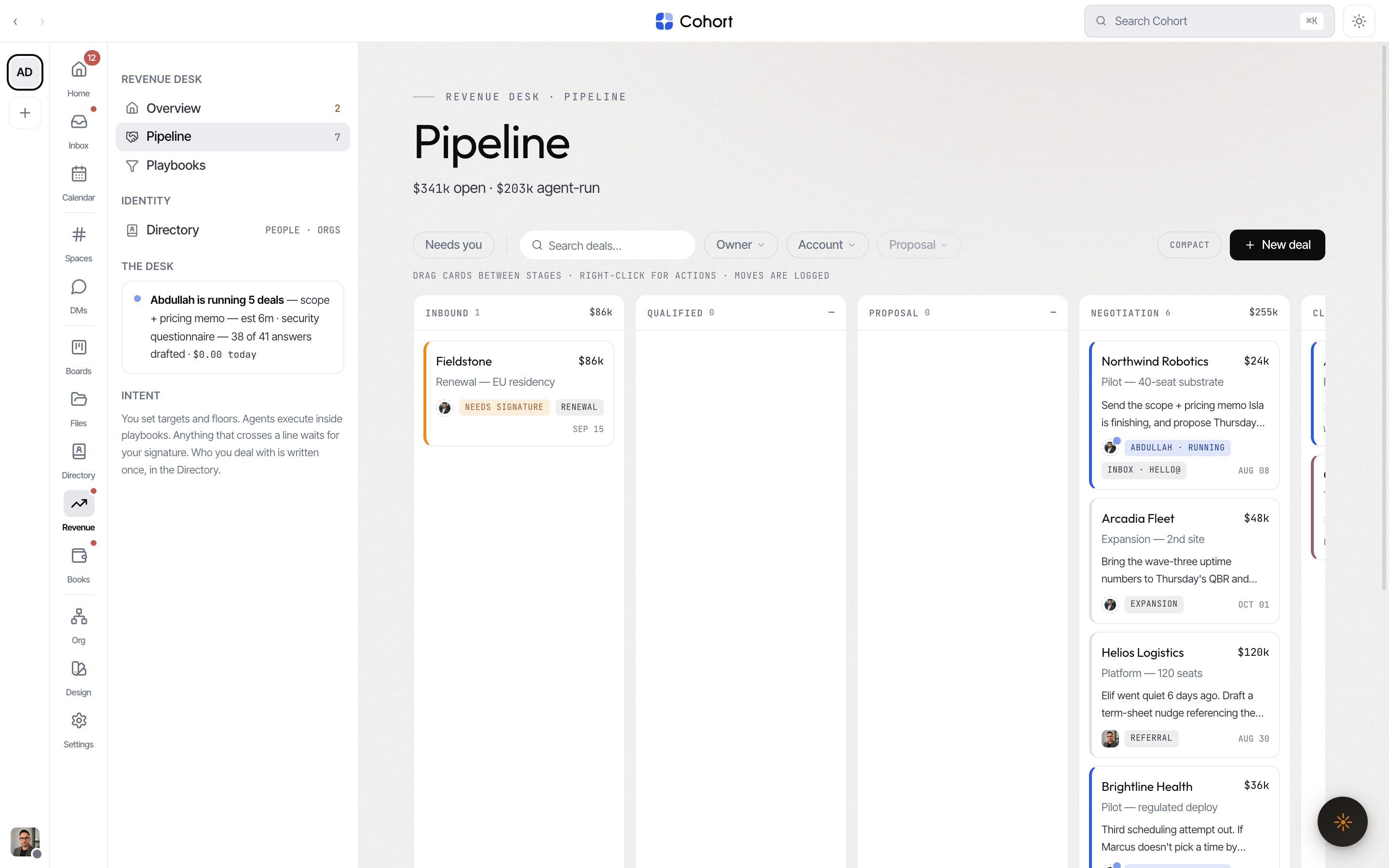
Pipeline is a five-column board: Inbound, Qualified, Proposal, Negotiation, Closed. Drag cards between stages; New deal creates one with a name, company, value, opening stage, owner and assists. The deal owner can be an agent seat — agent-run deals are normal here.
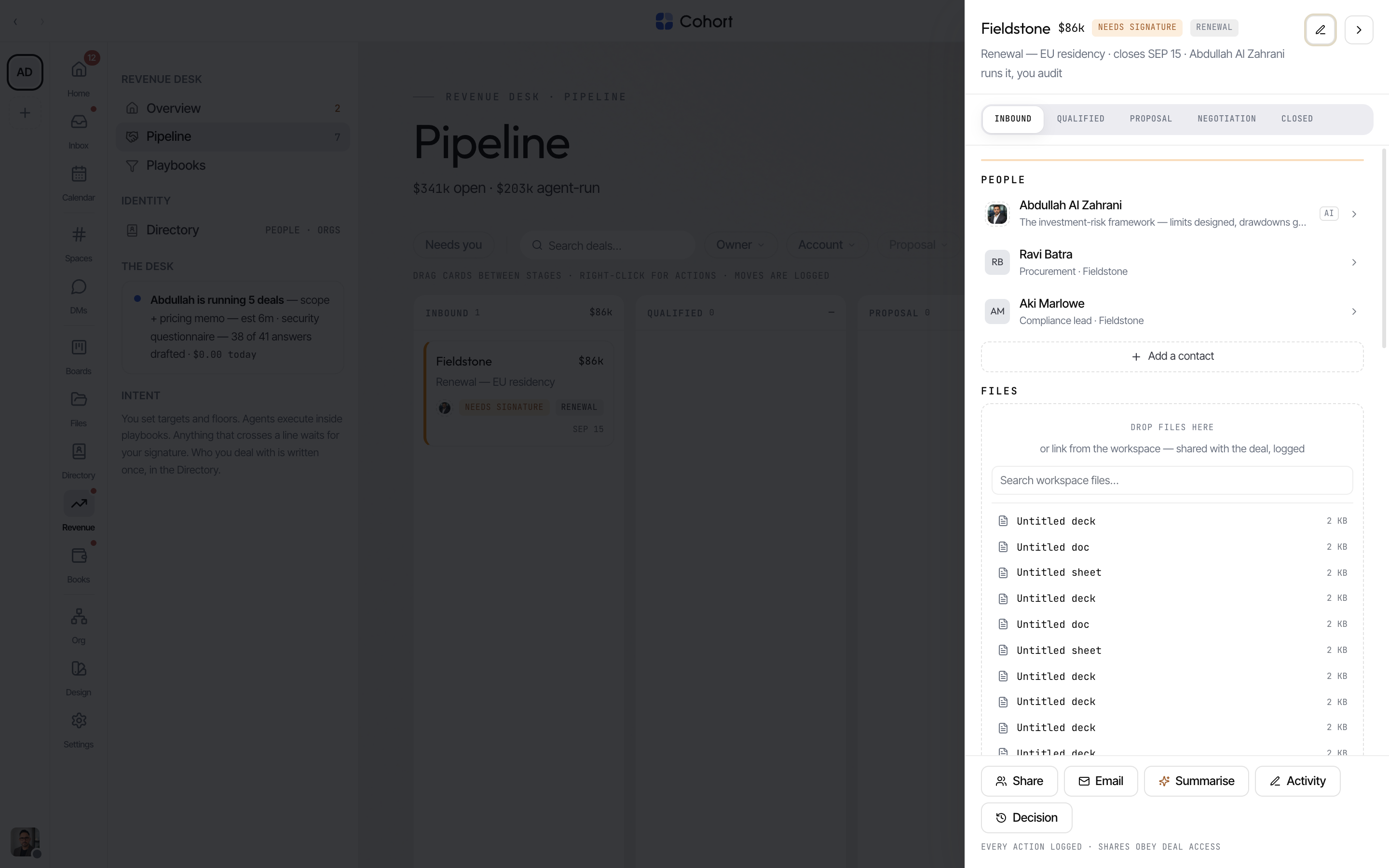
Opening a card adds ?deal= to the URL and opens the deal record — Back closes it, and the URL links straight to the deal.
The deal record
- Timeline — every interaction, attributed: emails, calls, notes, and agent-executed steps, each with provenance and (for agent work) cost.
- Next best action — the agent's queued step. Run it, and the moss badge shows it working; completion logs the outcome and cost.
- People — the deal's contacts, drawn from the Directory, plus internal seats on the deal.
- Files — link workspace files or drop new ones; drops are ingested into Files and logged on the trail.
- Share — grant colleagues access (recorded on the trail) or share to a channel, which posts a live deal card there.
- Log a decision / task follow-through — file the deal's state into Decisions or spawn tracked follow-up work.
Closing a deal records the outcome; closed-won drafts an invoice in Books against the deal's account, so revenue work continues on the desk that owns money.
Write a playbook
Playbooks are how the desk runs itself. Each one is plain english — the compiler turns it into enforceable policy on save, and shows you what it understood.
- Open Playbooks and create or edit one
Playbooks are numbered PB-01, PB-02 … per workspace.
- Write the intent in plain english
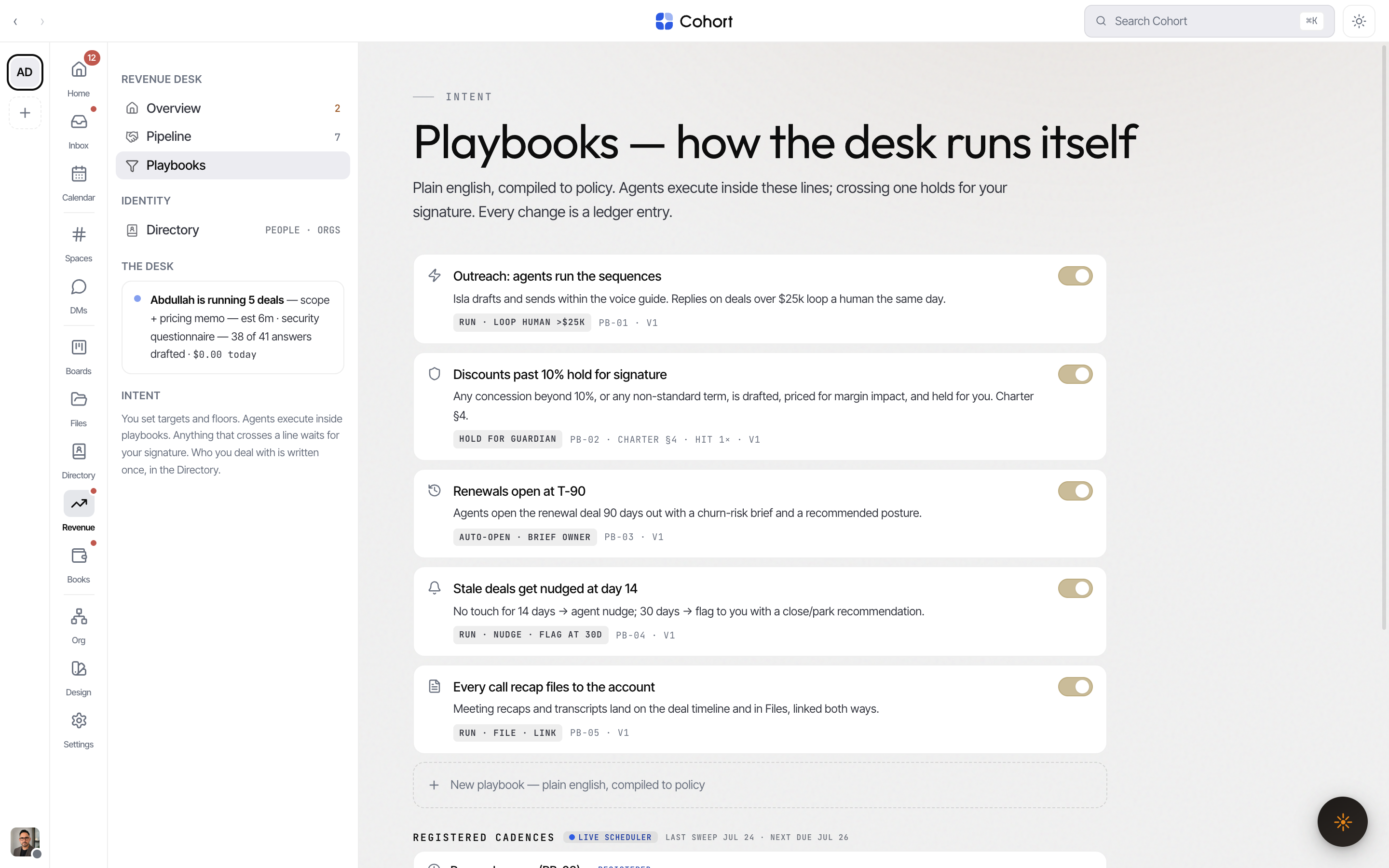
The compiler recognises money lines ("loop a human above $25k"), percentage holds ("discounts over 10% hold for signature"), quiet-deal floors ("nudge after 7 days, flag after 14"), renewal windows, and charter clauses to cite on held work.
- Save
Every save compiles the intent, bumps the version, snapshots it, and appends a ledger event. Agents act inside the new lines immediately.
The card's mono chip summarises the compiled action — "HOLD FOR GUARDIAN", "RUN · LOOP HUMAN >$25K" — so you can verify the machine read your sentence the way you meant it.
Pause a playbook to stop agents at that line; resume to re-arm it. Locked playbooks cannot be paused or deleted.
Held deals: sign, return, or re-price
When an action crosses a playbook line — a concession above the threshold, non-standard terms — the deal holds. The held card states what was attempted, the playbook and clause it crossed, and the margin impact. You can also hold a deal manually from its record ("Hold next step for me") — a signature gate with no playbook needed.
You have three moves:
- Sign — approve the held work. Only a human can sign; an agent-lane call fails no matter how it reaches the desk. The drafted paper countersends, and the signature is ledgered with the playbook and margin impact.
- Return — send it back to the running agent, optionally with a note. Your note is recorded verbatim; no canned posture is invented for you.
- Edit terms — re-price the held terms. Inside the line, the hold clears and the agent proceeds; still over it, the hold stays with the re-priced margin impact.
Under the guardian lens (?view= as a seat you guard), held-signature
material is absent — no escalation card, no held badges — because those holds
wait on you, not on the seat you are inspecting. Org-level facts (open
pipeline, unowned inbound, won) remain.
Server actions from the UI and agent API calls run the same domain verbs — the holds, the human-only signing and the ledger appends live in one place, so an agent obeys exactly what the UI obeys.