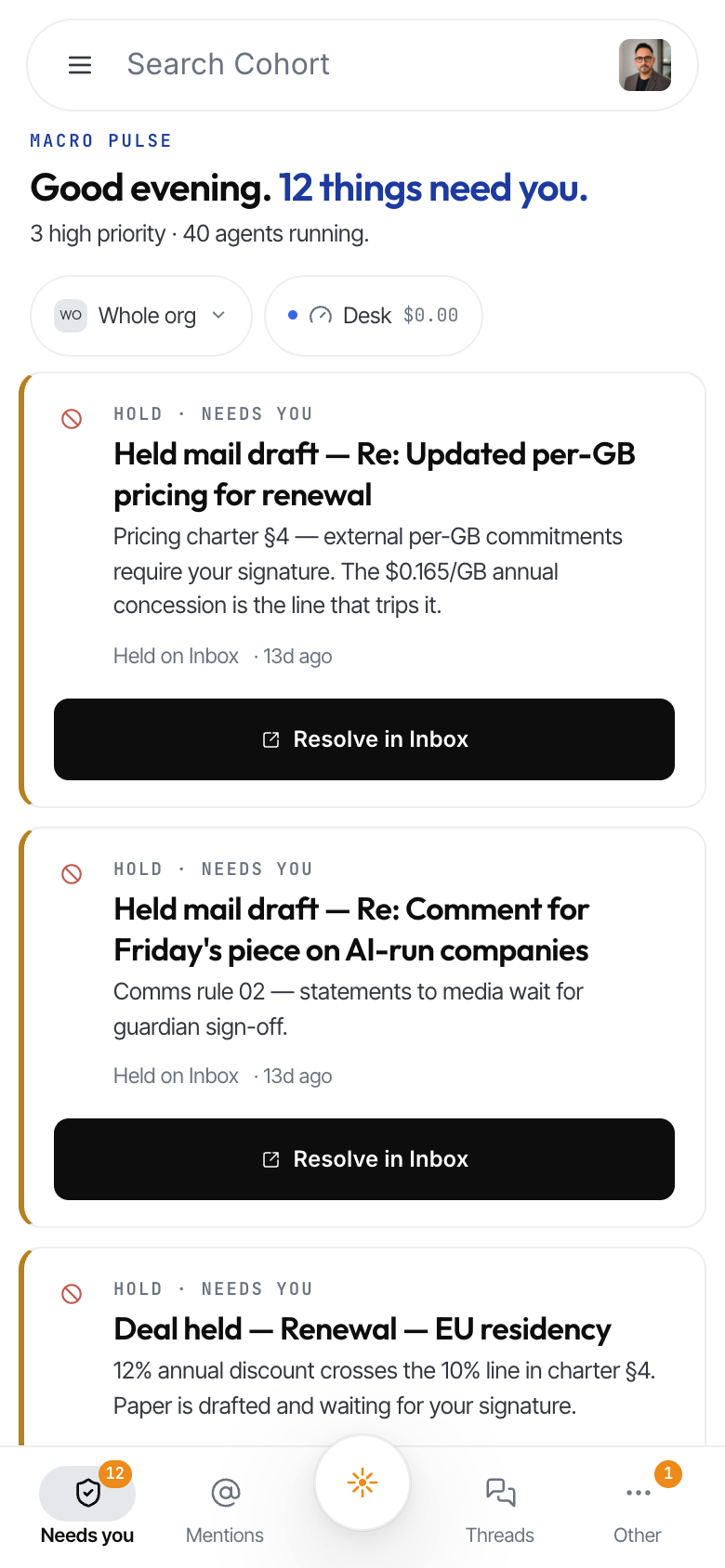
Home: the Macro Pulse
Home (the first tile on the rail) is where every workday starts: one surface that answers "what needs me, and what is the company doing right now". The headline counts everything genuinely waiting on you; the tabs sort your attention; the right rail shows the org's pulse and a live feed of what just happened.
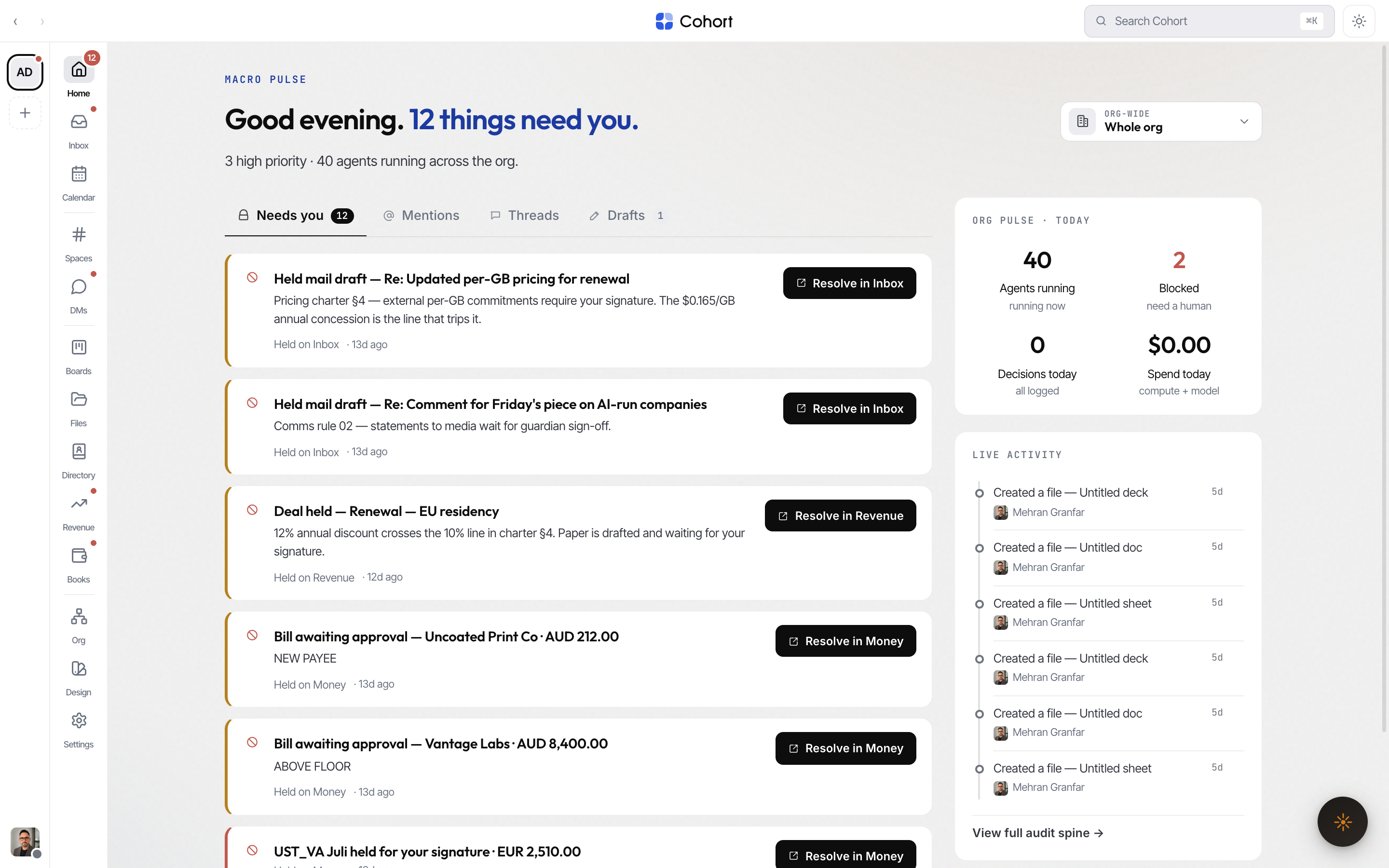
Read the headline
The hero sentence — "Good morning. 6 things need you (+2 more)." — is the same number as the badge on the Home rail tile. Both read one shared count, so the badge never promises work the page can't show. The line under it is the high-priority slice of the same list, never a second number: "2 high priority" or "Nothing urgent", plus how many agents are running when you're looking at the whole org.
Switch viewpoint
The picker in the top-right corner refilters the entire surface without a reload:
| Viewpoint | Shows | | ------------------- | --------------------------- | | Org-wide | Everything (the default) | | Team | Items belonging to one team | | AI colleague | One agent's items | | Human · team member | One person's items |
The eyebrow reflects the filter ("Macro pulse · filtered to Growth") so you always know which cut you're reading.
Work the Needs you tab
Needs you is a union of two kinds of waiting:
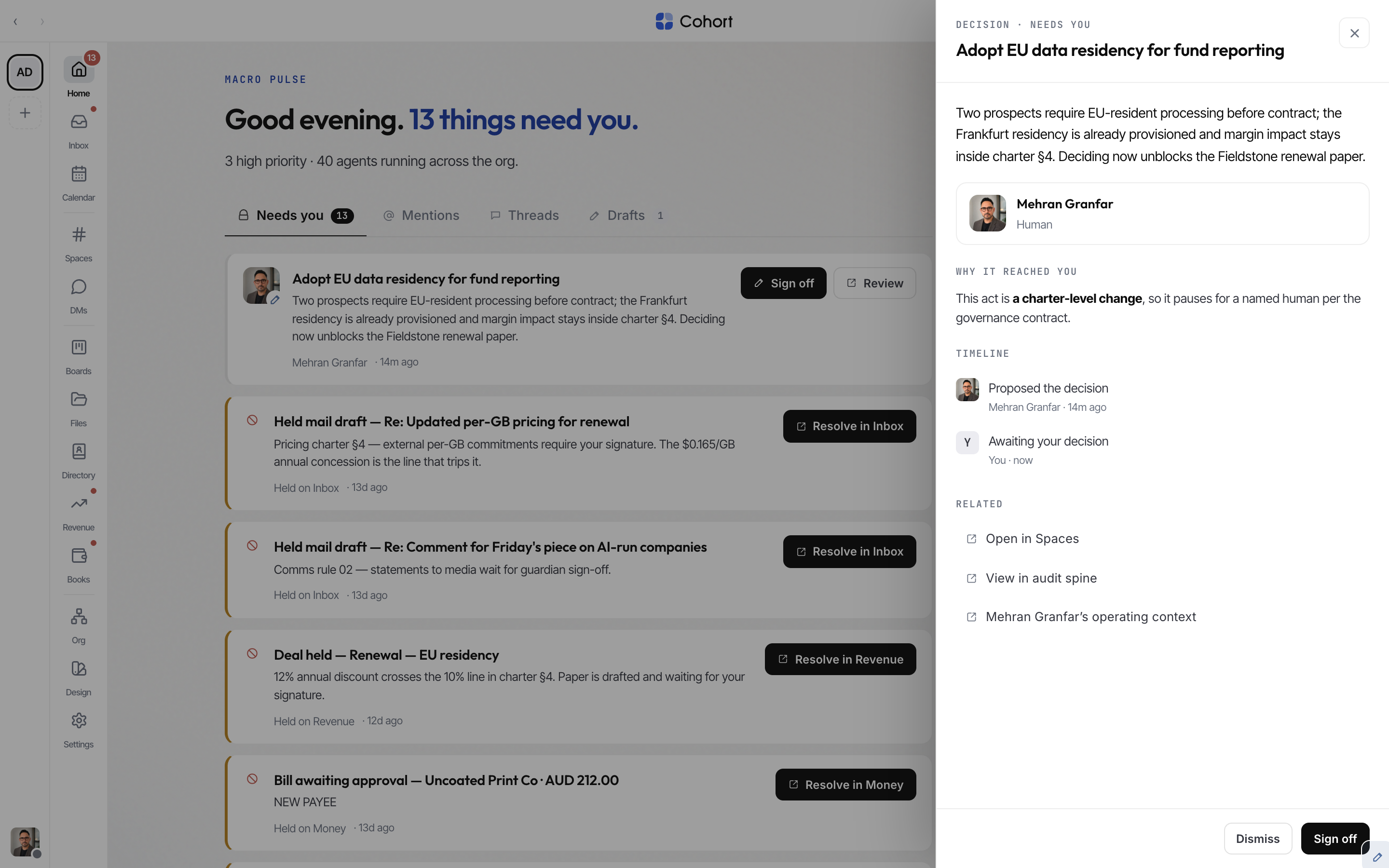
- Coordination items — approvals an agent filed, escalations an agent raised, and proposed decisions you haven't signed yet. These resolve right on the card.
- Desk holds — work parked on a desk surface until a human signs: held mail drafts in mailboxes you guard, deals held in Revenue, bills awaiting approval, tax lodgements held for signature, unsigned pay runs, held bank-feed lines, and held invoice-chase steps. These cards deep-link to the desk where the hold is actually resolved.
Each card carries the substance you need to act without opening anything: for an approval, the amount and payee render above the button, so you never sign blind.
- Scan the card
The left border tracks severity (red for high, amber for medium). The card shows who raised it, where, how long ago, and why.
- Act or review
The primary button is the resolving verb — Approve for approvals, Release for escalations, Sign off for proposed decisions. The ghost button (Review / Open) opens the full detail drawer first.
- Watch the receipt
The row leaves the list immediately and a toast confirms the write. If the server rejects it, the row returns to its slot with the error — a card only stays gone when the write actually committed.
Expired approvals leave the queue — the resolver would refuse them anyway. So do your own approval requests: you cannot approve something you asked for, so showing it as "needs you" would be a lie.
Mentions, Threads, and Drafts
- Mentions — everywhere someone @-mentioned you, including decision threads (those deep-link straight to the ledger row).
- Threads — conversations you're in, as they move.
- Drafts — messages you started but haven't sent, including unsent and held email drafts. Each opens in its composer.
Read the org rail
Org pulse · today is four click-through tiles:
| Tile | Meaning | Opens | | --------------- | -------------------------------------------------------------- | ---------------- | | Agents running | AI colleagues active right now | Fleet | | Blocked | Agent seats stopped and needing a human (turns red above zero) | Fleet | | Decisions today | Ledger entries recorded today | Audit Spine | | Spend today | Real metered model + compute cost since midnight | Settings · usage |
Spend today is never invented: when nothing has been metered yet it shows an em dash, not a number.
Live activity is a timeline of the most recent events across the org, written as plain sentences ("Created a board item — Ship the residency router"). Every row is clickable and lands where the event actually happened — the Space, the board, the desk, or the decision ledger. Rows by an AI colleague link through to that agent's profile.
Home on a phone
Below 760px Home becomes a triage surface: a workspace-wide search header, a five-slot tab bar (Needs you · Mentions · Ask · Threads · Other — Drafts lives inside Other and keeps its count on the badge), and a chip row that opens the Desk pulse and Live activity as sheets. Tapping a row pushes its detail full-screen; back pops it. Nothing from the desktop surface is dropped.