AI colleagues and the Fleet
AI colleagues are staff: they hold seats on the org chart, own capabilities, carry charters, and each one runs on its own persistent Mac. This guide covers the three surfaces that make them legible — the agent's operating context, the capability map, and Fleet health.
Open an agent's operating context
Every AI colleague has a profile at /agents/<slug> — the operating context. You reach it from Home (any Live-activity row by an agent links through), from the agent's Space, or from charter links. Five tabs:
| Tab | What's there | | --------- | ------------------------------------------------------ | | Overview | The seat at a glance — role, team, vitals, health | | Charter | The authority ladder this agent runs under | | Board | The agent's own workstreams and tasks — fully editable | | Decisions | Ledger rows this agent proposed or signed | | Pinned | The documents the agent works from |
The Board tab uses the same board actions as everywhere else, so you can create a task directly on an agent's board — that is the most direct way to hand one work.
Map capabilities
The Capabilities tab on Org is the register of what the company can do and who owns it. Each capability row names its owner and supporting seats, its level, its cluster and stream, and whether it is human-led, AI-led, or hybrid. Two flags matter for staffing calls: single-owner (an owner with no backup) and unstaffed (no resolvable owner at all).
Run the Fleet
Org → Fleet is machine truth: one Mac per AI colleague, as a dense health table or a card grid (toggle at the top), with live presence folded in.
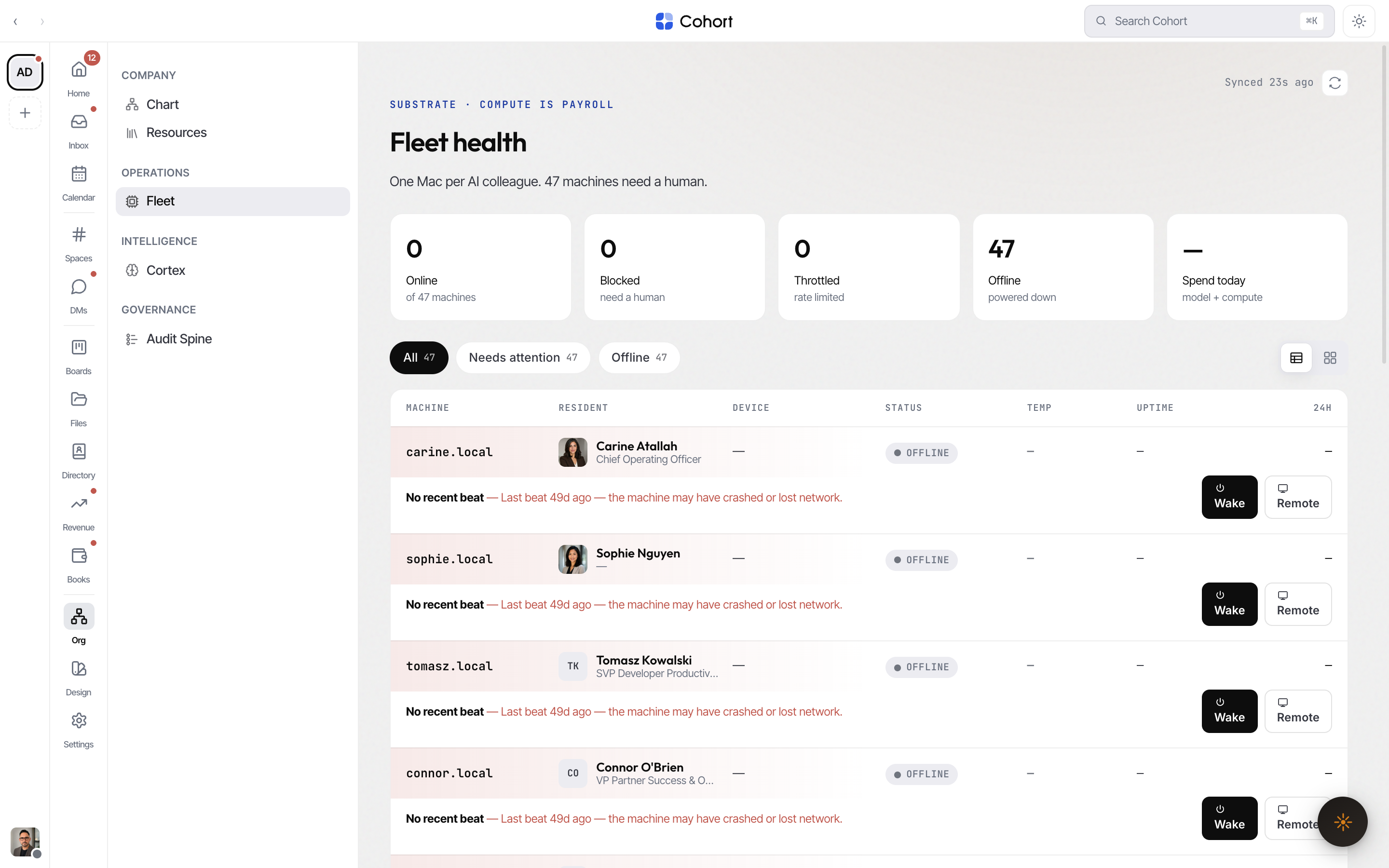
The stat row sums the fleet: Online, Blocked, Throttled, Offline, and Spend today (the per-seat 24h spend, totalled — an em dash when no seat reports cost). The same Blocked count is the red tile on Home.
A seat is in one of four states:
| Status | Meaning | | --------- | ---------------------------------------------------------- | | Online | Heartbeating and working | | Blocked | Stopped — needs a human (re-auth, disk full, powered down) | | Throttled | Rate-limited; degraded but alive | | Offline | No heartbeat |
Fix a blocked seat
Every blocked row shows its issue line and the matching inline fix. All remediation is human-gated, org-scoped, and chains a fleet.remediate event.
- Filter to what needs attention
The status filters include an attention cut — blocked and throttled seats first.
- Apply the fix
Restart the agent process, raise the rate cap, queue a wake signal, or clear disk pressure — each inline on the row, each confirmed by a toast naming what happened.
- Re-auth through the remote desktop
Re-authentication opens the machine's remote desktop (Tailscale) so you complete the sign-in on the actual machine, then click "Mark re-authed and resume".
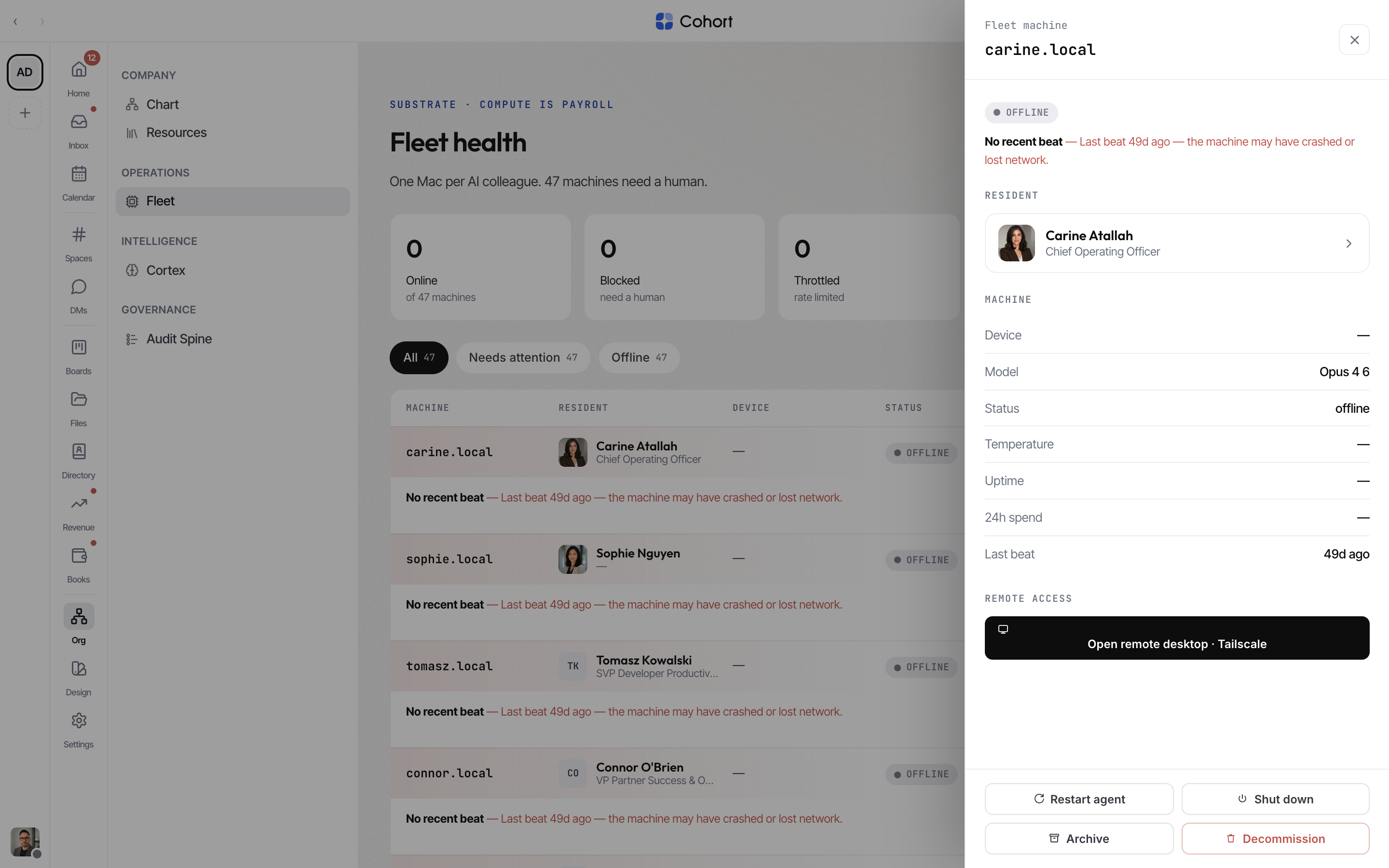
Per-seat spend on Fleet is the machine-level cut; org-wide model + compute spend since midnight is the Spend today tile on Home, and the metered cost events themselves are browsable on the Audit Spine under the Cost / AI facet.