Docs, Sheets and Decks
Docs, Sheets and Decks are the workspace's native file kinds, each with a full editor. They live in Files — same drive, same permissions, same trail — and open at their own URL, so Back always returns you to the drive. On phones and tablets the same kinds open in full-screen mobile editors; on desktop, the suite editors render in the open-file shell.
Every consequential act in an editor — a saved revision, an export, an AI assist — lands on the file's activity trail with its ledger id, and AI work carries its real cost.
Docs — written decisions
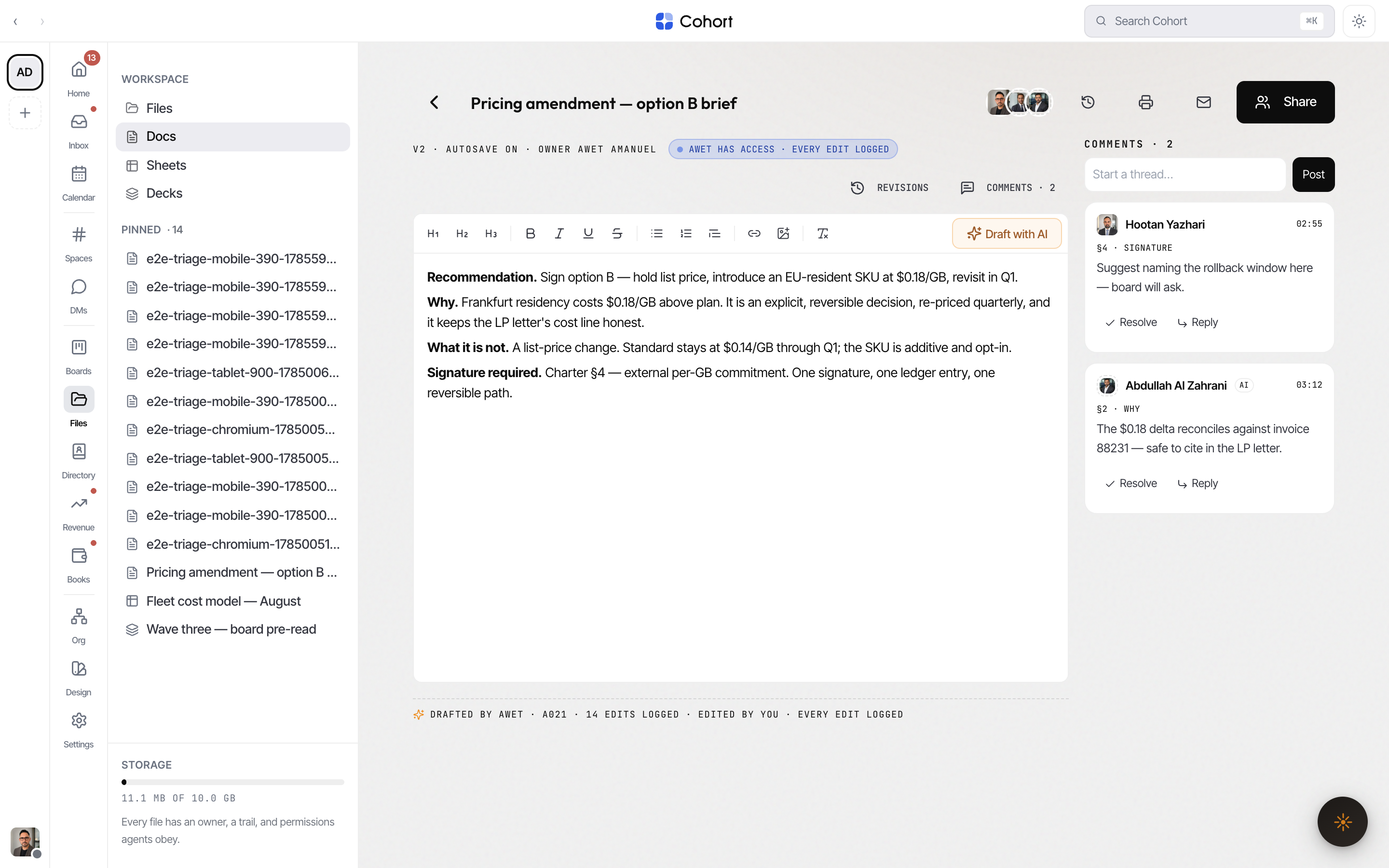
One rich-text editor with tabs, revisions and an anchored comments rail.
- Write and structure — headings, lists, formatting, and inline images (pasted or uploaded). A doc can carry multiple tabs; the phone and tablet editor switches between them.
- Revisions — every save logs a numbered revision with its author (human or agent) and summary; open History to read the log.
- Comments — select text and comment on it; comments anchor to the quote and can be resolved. The rail sits beside the doc on desktop and in a bottom sheet on phones.
- Suggestions — a colleague with a suggest-level grant files suggested revisions against the current version instead of editing directly; suggestions drafted against an older version are flagged stale.
- AI, grounded — a ghost draft streams into the doc on request; select a passage to amend the selection (tighten, rephrase) or turn it into a slide, which appends a real slide to a deck. Presence is shown live when an agent is working in the doc.
Sheets — live models
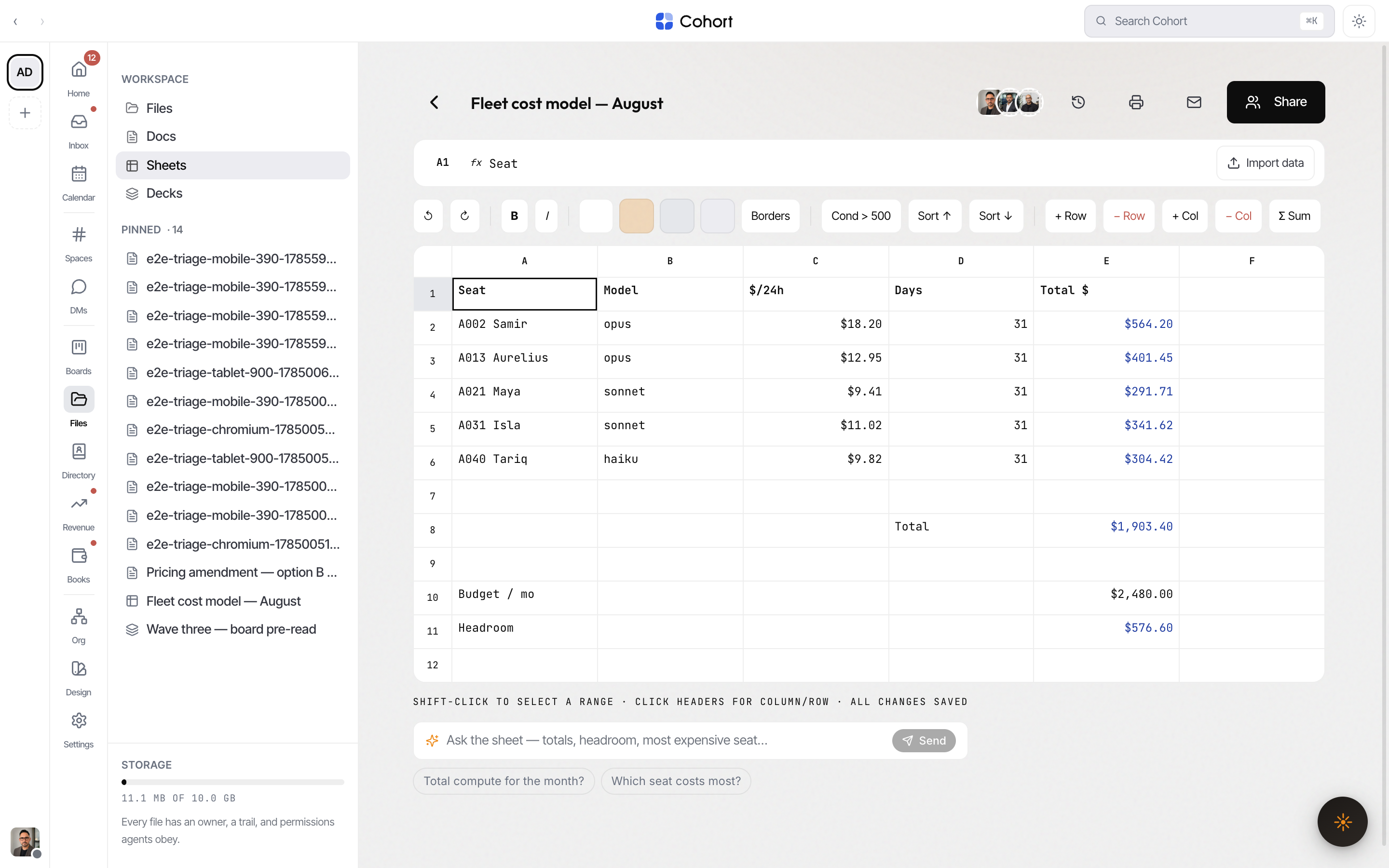
A real evaluating grid, not a table widget.
- Formulas — cell refs, ranges and arithmetic with
SUM,AVG/AVERAGE,MIN,MAX,COUNTandROUND; cycles are detected rather than looping. The engine spans columns A–ZZ. - Editing model — full keyboard navigation, range selection, row/column insert and delete, fill-down, sum-below, and sorting that re-points formulas so
SUM(E2:E6)survives the sort. - Formatting — bold/italic, fills, borders, plus live conditional-format rules.
- Import — paste or import CSV/TSV straight into the grid.
- Provenance per cell — every cell remembers who set it, human or agent, and when.
- Fed ranges — an agent can register to feed a range (a bank feed, a metrics pull). Fed ranges tint moss, carry a chip naming the agent, and give the drive row its
LIVEbinding note. - Ask the sheet — ask a question grounded in the live cells, or ask any cell to explain itself; answers cite the ranges they used.
An edit share on a sheet can be confined to ranges (for example B2:D10). The
grantee edits inside those ranges and nowhere else — enforced at the write,
not in the toolbar.
Decks — board-ready
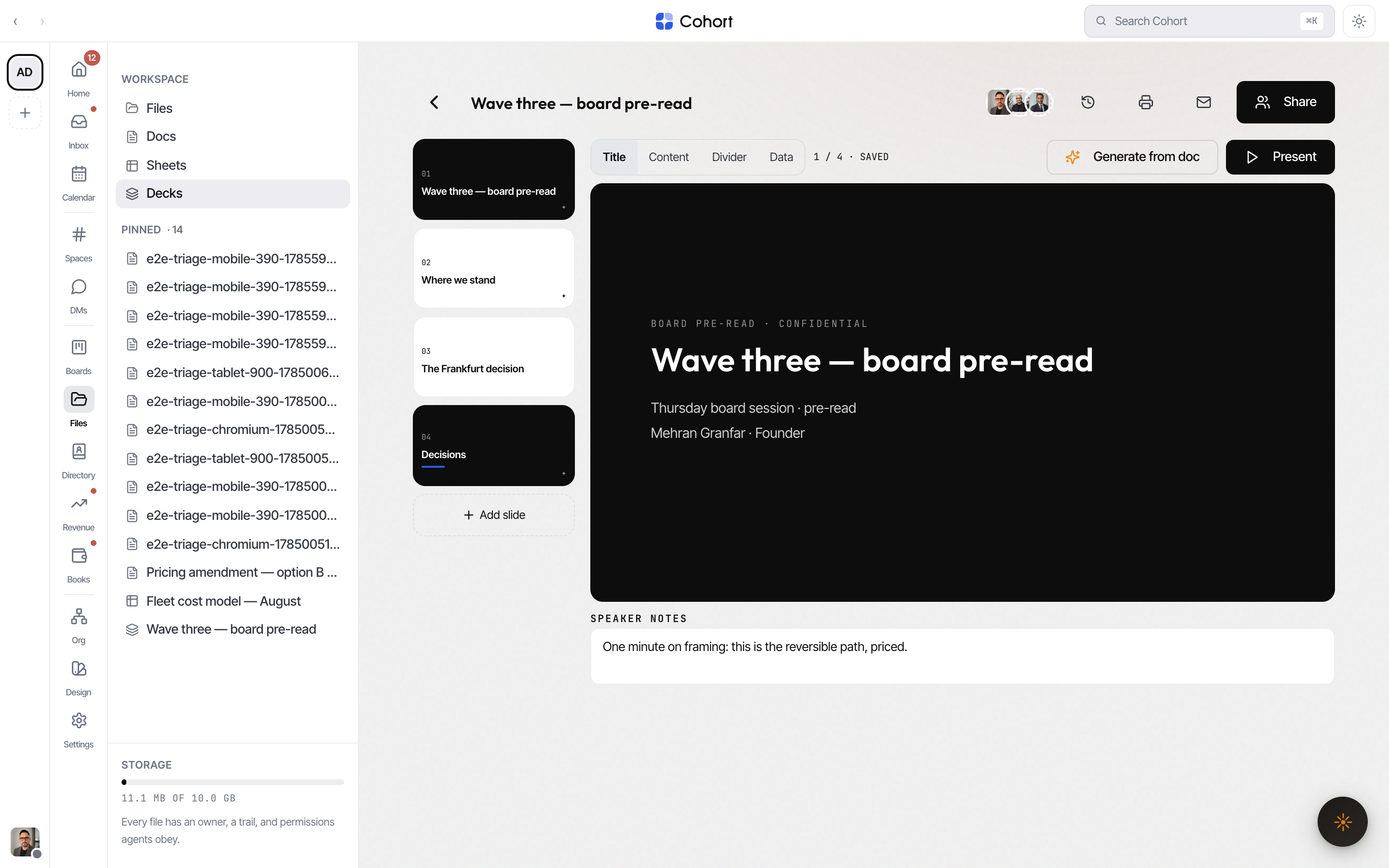
Slides on the workspace's four collateral masters — Title, Content, Divider, Data — so every deck ships on-brand without per-slide styling.
- Filmstrip — select, duplicate, move, delete slides; per-slide AI assists (rewrite tighter, draft speaker notes).
- Content — editable title, body lines and speaker notes per slide; emphasis and a deck theme ride the deck's metadata.
- Generate from doc — pick a doc and real slides are appended, with the generation's cost and ledger receipt shown.
- Comments — anchored to a slide (or an element on it), with unresolved counts on the strip.
- Present mode — a full-screen stage with arrow-key/space navigation and a counter; slides marked skip in present stay in the file but out of the show.
Export to Office
Any doc, sheet or deck downloads as a native Office binary — .docx, .xlsx, .pptx — generated from the live content, alongside PDF/Markdown/text/CSV. A deck's .pptx maps the four masters onto real PowerPoint layouts, one slide per slide, speaker notes included; standard Office typefaces stand in for the workspace fonts, which cannot be embedded. A format that does not exist for a kind (a .docx of a sheet) is refused honestly rather than faked. Exports are ledger events like everything else.