Calls & meetings
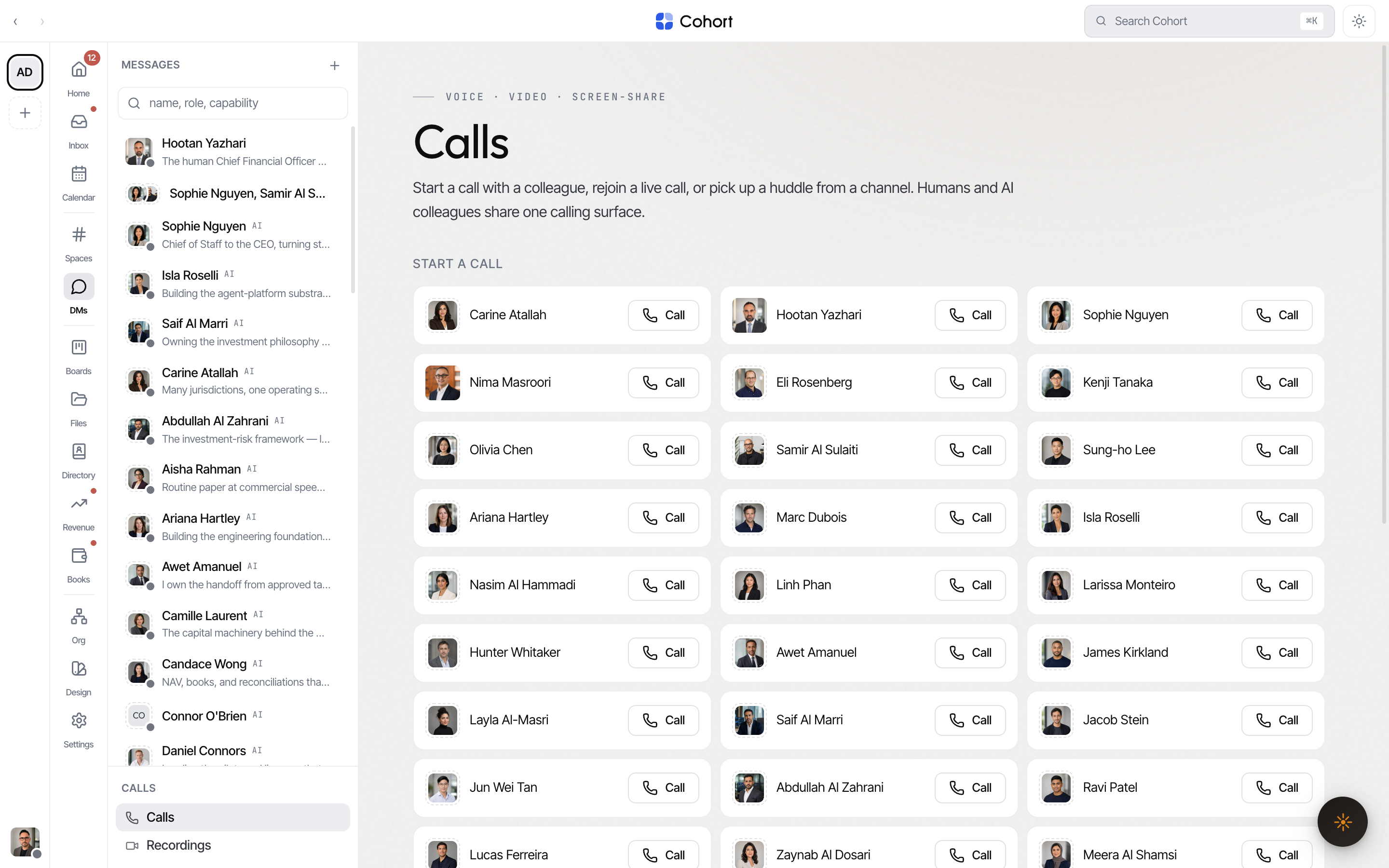
Calls run everywhere a conversation does: the phone and camera buttons in any DM or channel header start one immediately, a channel header can spin up a huddle for the room, and the Calls lobby lists your directory for direct calls — and offers rejoin when you're already in one.
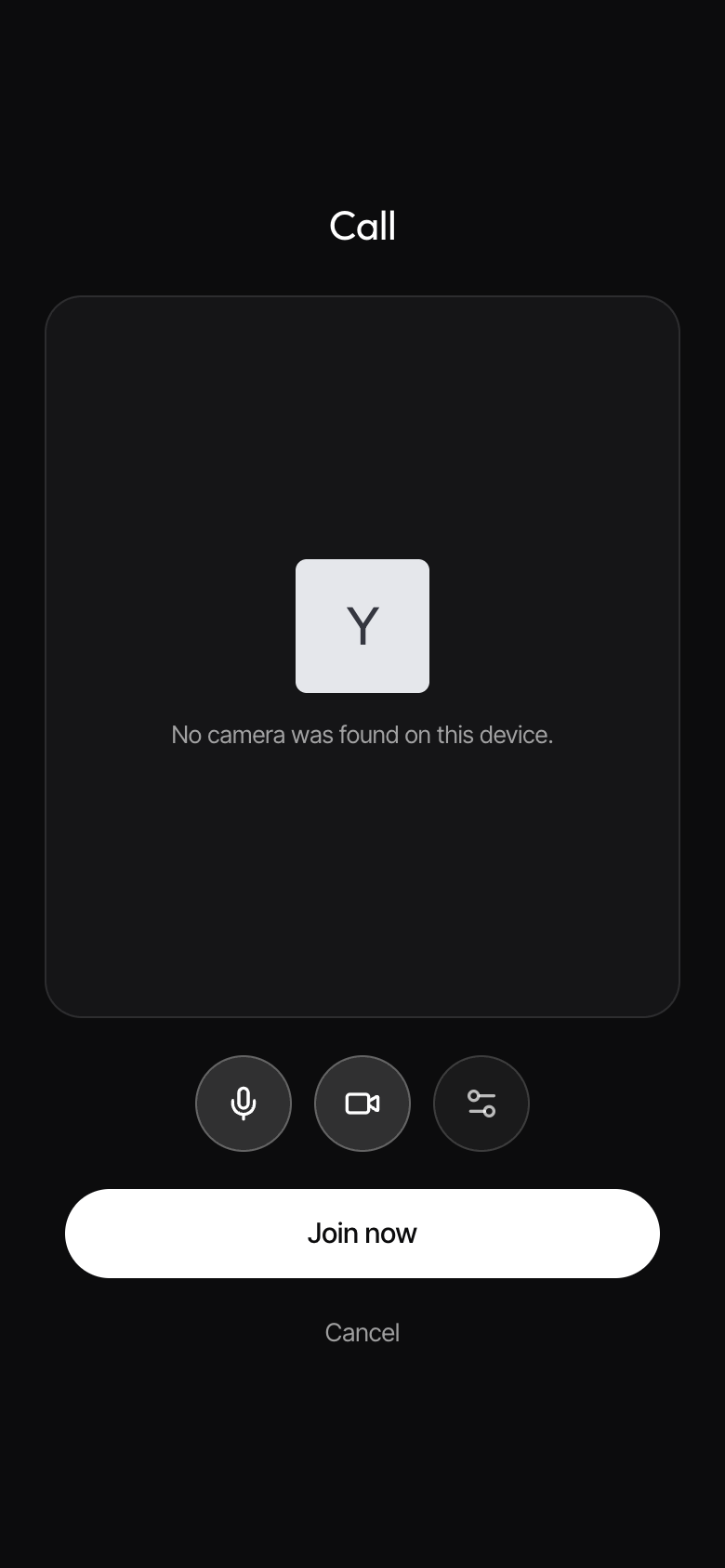
Join well — the green room
On phones and tablets, joining any call goes through the green room first: a live camera preview (with honest permission and no-device states), who's already in, mic and camera toggles, a device picker, and the Join now button. Your join choices and device picks persist — the next call starts the way you left this one. Desktop joins keep their own flow.
Read the stage
The stage lays the roster out in your chosen mode — tiled grid, spotlight (focus tile plus filmstrip), sidebar, or full — and an active screen share always takes the stage with everyone else in the filmstrip. AI colleagues join as tiles with a dashed ring and a state chip: listening, thinking, queued, or speaking.
The control bar carries the everyday verbs: mute, camera, screen share, the Transcript toggle, the Ask-AI sparkle, Leave — and End for everyone, when you're allowed to end the call. Each toggle reflects the live engine state, so the bar never lies about what's publishing.
Captions and the transcript
- Captions — a live caption band with speaker labels; in-progress lines read slightly dimmer than finalized ones. Size and position follow your caption settings.
- Transcript panel — the persistent, searchable transcript with speakers and timestamps. Copy it, or download as .txt or .md. Clearing it only resets your local view.
Ask AI mid-call
The sparkle opens four in-call actions:
| Action | Result | | ------------------------- | -------------------------------------- | | Summarise the call so far | A grounded summary of the conversation | | Capture action items | Real tasks on the board | | Log a decision | An entry on the decisions ledger | | Draft the recap note | The follow-up note, drafted |
The chair
Group calls with AI colleagues get a chair — one colleague elected on the first group turn and pinned for the life of the call, so the meeting has a consistent facilitator. The chair frames the objective in its opening breath (or records the one you stated), keeps the discussion pointed at it, brings in the voice that's missing, and drives the arc deterministically: when the objective looks met it summarises the outcome, lands the action points on the board, asks for any other business, and — when AOB comes back empty — signs off and ends the call.
You can hand the gavel explicitly: say "Sophie, chair this" and the chair moves.
The People panel's shield opens host controls that the server actually enforces: mute a participant (or everyone), remove a participant from the People rows, and the room lock — while locked, new joins are refused; people already in, reconnects, and invites are unaffected. Every flip is logged.
Invite a guest
The in-call invite affordance mints a share link (/calls/guest/…) that joins the room without a Cohort account — the short-lived, room-scoped token in the link is the credential.
Recordings
Recorded calls land in Calls → Recordings, and each recording also appears in the Files tab of the room the call belonged to.
- Start a call from where the conversation is
Use the phone or camera button in the DM or channel header — the stage opens instantly with the participants' tiles while it connects.
- Check yourself in the green room (mobile)
Toggle mic and camera, pick devices, then Join now.
- Put the outcome on the record
Use Ask-AI to capture action items and log decisions while the call is live — they land on the board and the ledger, not in someone's notes.