Books — the money desk
Books is Cohort's finance surface. Odette (seat A040), the books agent, keeps the ledger current — matching bank lines, chasing invoices, drafting pay runs and assembling lodgements — inside limits you set. Anything that crosses a limit stops and waits for a human signature.
Open Books from the workspace sidebar. The section has six pages:
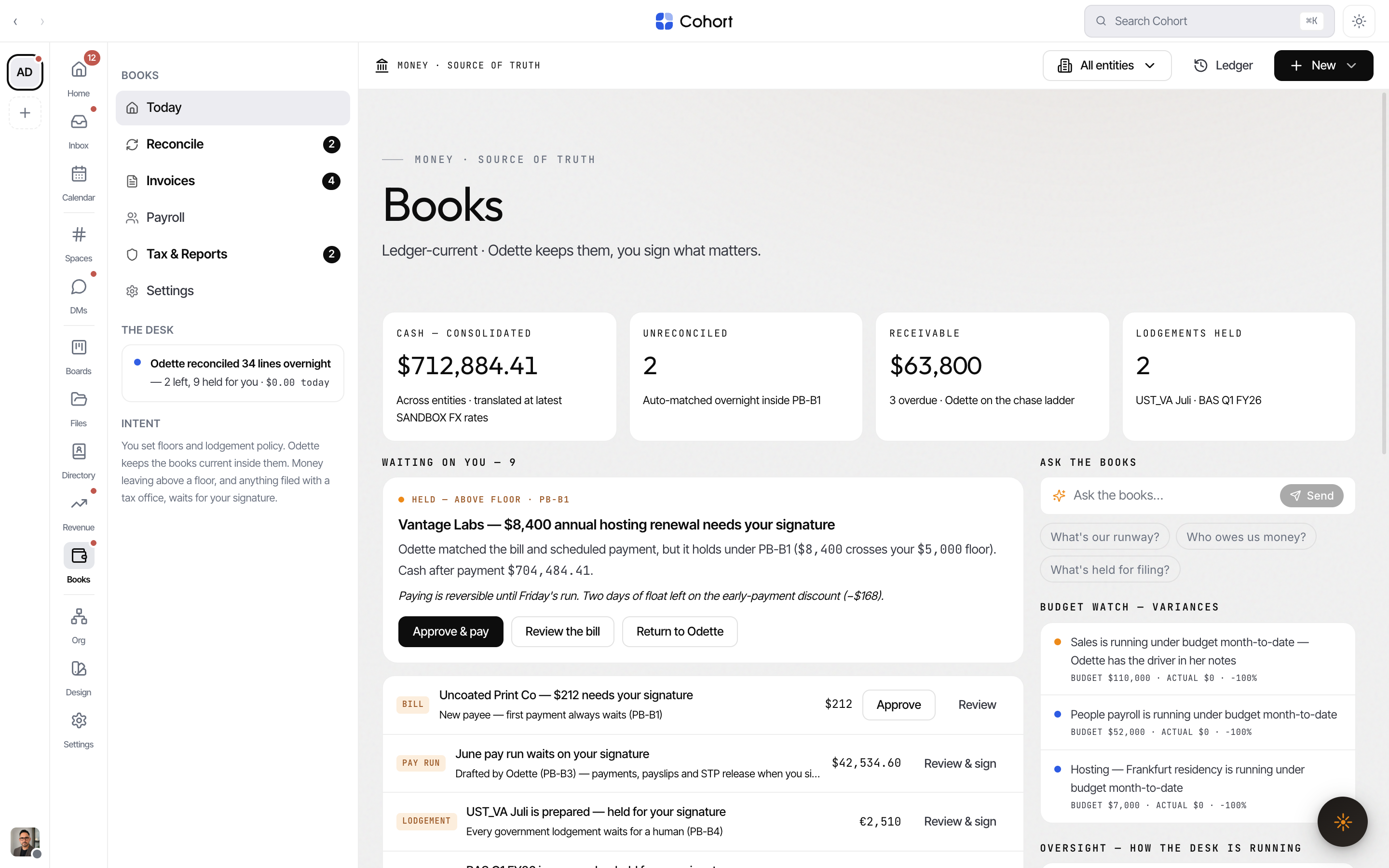
| Page | What it holds | Badge counts | | ------------- | ------------------------------------------------------------- | ------------------------------------- | | Today | The desk: tiles, the waiting-on-you queue, floors & playbooks | — | | Reconcile | Bank feeds and match suggestions | Open feed lines | | Invoices | Receivables and payables | Held chases + bills awaiting approval | | Payroll | Pay runs, employees, STP | — | | Tax & Reports | Lodgements, obligations, ledger reports | Lodgements held for signature | | Settings | Entities, mandates, automation, connections | — |
Read the desk status
The status card in the section sidebar (and the strip above the content on smaller screens) is the one-line truth about the desk: what Odette did overnight, what remains, and what waits on you — for example "Odette reconciled 14 lines overnight — 3 left, 2 held for you". The mono figure at the end is the real metered AI spend for today; it reads $0.00 when nothing has accrued.
The four tiles link into the section:
- Cash — consolidated across entities (translated at the latest sandbox FX rates) or native to the scoped entity.
- Unreconciled — open feed lines; links to Reconcile.
- Receivable — open AR with an overdue count; links to Invoices.
- Payable — Fri run — bills scheduled plus bills held; in the all-entities scope, when lodgements are held this slot shows Lodgements held instead.
Scope Books to one legal entity
If the workspace runs more than one legal entity, the toolbar's entity switcher scopes every Books page — figures, lists and badges — to one entity or to all.
- Open the entity switcher
In the Books toolbar, click the entity button (it shows the current scope, e.g. "All entities").
- Pick a scope
Choose All entities for the consolidated view, or a single entity. The scope rides the URL as
?ent=, so links you share keep the scope.
Clear the "Waiting on you" queue
The queue on Today is the union of every hold class that pends a human:
| Hold | Why it stopped | Resolution | | --------- | --------------------------------------------------------- | -------------------------------------------------- | | Bill | Over your approval floor, or first payment to a new payee | Approve & pay · Review the bill · Return to Odette | | Chase | A chase draft at step 2+ of the ladder | Approve chase · Review | | Pay run | Drafted, not yet signed | Review & sign | | Lodgement | PB-B4 — every filing waits for a human | Review & sign | | Feed line | New payee or missing receipt on a bank line | Approve · Review |
The first held bill renders as a full card with the reason ("crosses your floor" or "first payment to a new payee always waits") and the cash position after payment. Approve & pay schedules it onto Friday's payment run; Return to Odette sends it back for a re-check. Every resolution shows a toast with a ledger id.
If you open Books through a guardian lens (View this surface as in the user
drawer), approval material is absent, not redacted: the queue is empty, badges
read 0, and ledger facts (cash, receivable, payable) stay. Approvals wait on
the guardian alone.
Step into running work
Working now lists Odette's live automation tasks (matching, chasing, pay-run drafting, lodgement assembly). Right-click any row to intervene:
- Step in — pause it and take over
- Ask for a checkpoint
- Pause this task
Each intervention is logged with a ledger id.
Set floors and playbooks
Floors & playbooks — your intent is where the desk's limits live:
| Playbook | Rule | Controls | | -------- | --------------------------------------------------------------- | -------------------------------------------- | | PB-B1 | Auto-pay known payees under your floor · new payees always hold | Edit the floor amount; on/off | | PB-B2 | Chase ladder 7/14/21 days · step 3 escalates to you | Tone: professional, friendly or firm; on/off | | PB-B3 | Pay runs drafted two days early · file only on signature | On/off | | PB-B4 | Every government lodgement waits for a human signature | Locked — always on |
PB-B4 is charter law: it has no switch, and its mandate cannot be edited from Books (see Books settings).
The match threshold that decides which bank-line suggestions auto-post also belongs to PB-B1 — edit it from the Oversight card, on the row labelled "Threshold is yours to move" (50–100%). Suggestions below the threshold hold for you instead of posting.
Ask the books
The Ask the books bar answers questions from the ledger — try "What's our runway?", "Who owes us money?" or "What's held for filing?". Every answer shows its grounding chips, the metered cost of the question, and an audit id. Answers are grounded in ledger rows, never free-floating.
Check oversight and the unattended log
Two streamed cards close the loop on autonomy:
- Oversight — how the desk is running: override rate (your corrections retrain the playbooks), hold rate, average match confidence against the threshold, and duplicates blocked. Figures come from real rows and events; a metric with no data shows an em dash.
- This week, unattended: the auto-log of agent actions that ran without you.
Open the decision ledger
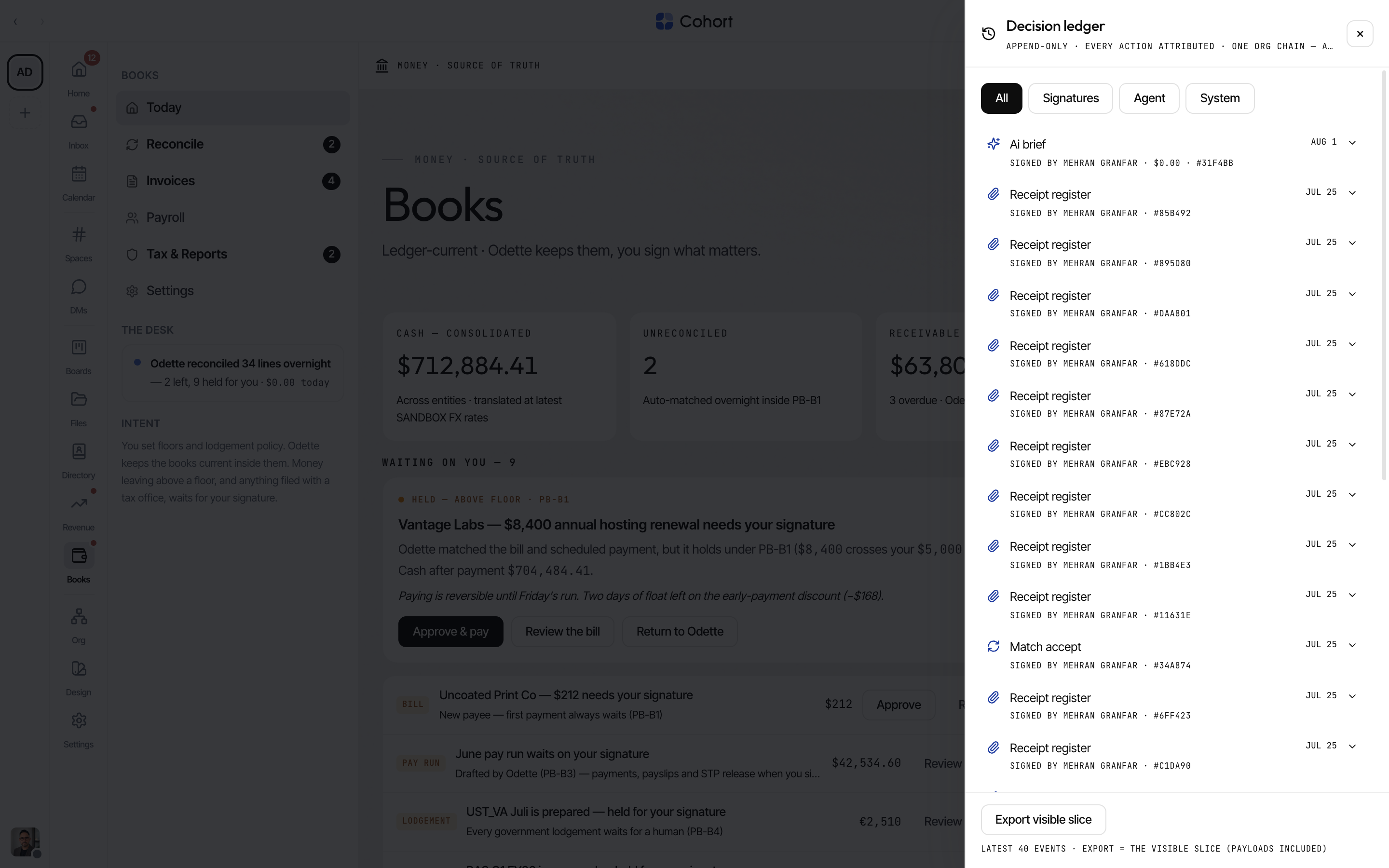
Every Books action — yours, Odette's, or the system's — appends to the decision ledger. Click Ledger in the toolbar to open the panel; filter by Signatures, Agent or System, and expand a row to see its event kind and redaction-safe payload. Toasts across Books carry the same ledger ids, so any act can be traced back.
Create records quickly
On Today, the toolbar's New menu quick-creates any Books record: Manual journal, Receipt, Invoice, Bill, Expense claim, Employee, or Report (jumps to Tax & Reports). Other pages carry their own primary action — Reconcile gets Add receipt, Invoices gets New, Payroll gets Add employee, Tax & Reports gets Export report.
Books on the phone
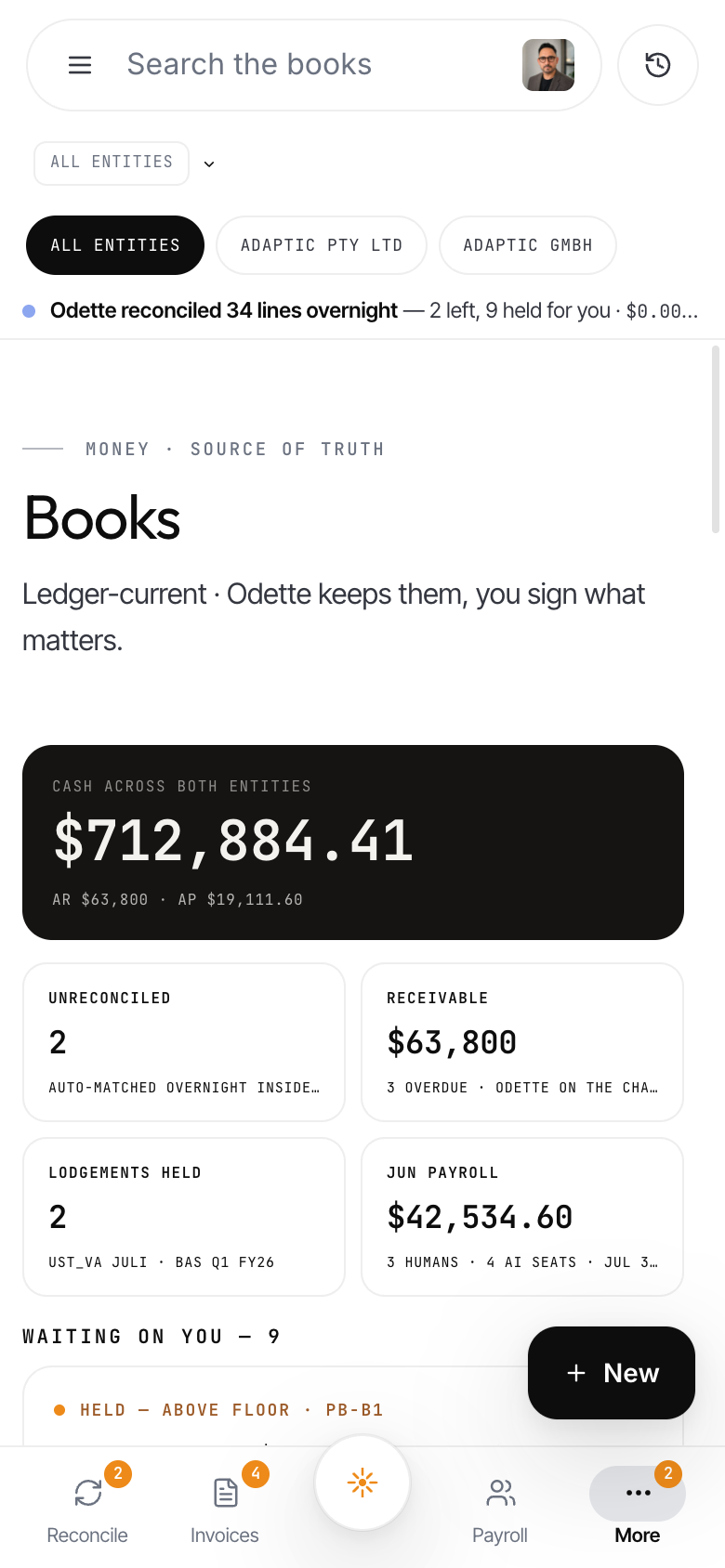
Below desktop width, Books runs on bottom tabs: Reconcile · Invoices · Ask · Payroll · More. Today folds into More as its "Overview — Today" row, alongside Tax & Reports and Settings. The desk itself becomes an ink cash card (cash, runway, burn, AR/AP — runway and burn render only when the ledger honestly supports them) over a 2×2 tile grid, and the search pill ("Search the books") hands off to the Invoices filter. The More screen adds one-tap report exports (they land in Files) and an approval-line stepper for the PB-B1 floor.