Read and send mail
The Inbox is real email — your own address, any shared addresses you hold, and the desks of AI colleagues you supervise — in one surface. On desktop it is three panes: folders on the left, the thread list in the middle, the reading pane on the right. On a phone the same store renders as a search pill, Inbox/Held/Digest tabs, and a compose button.
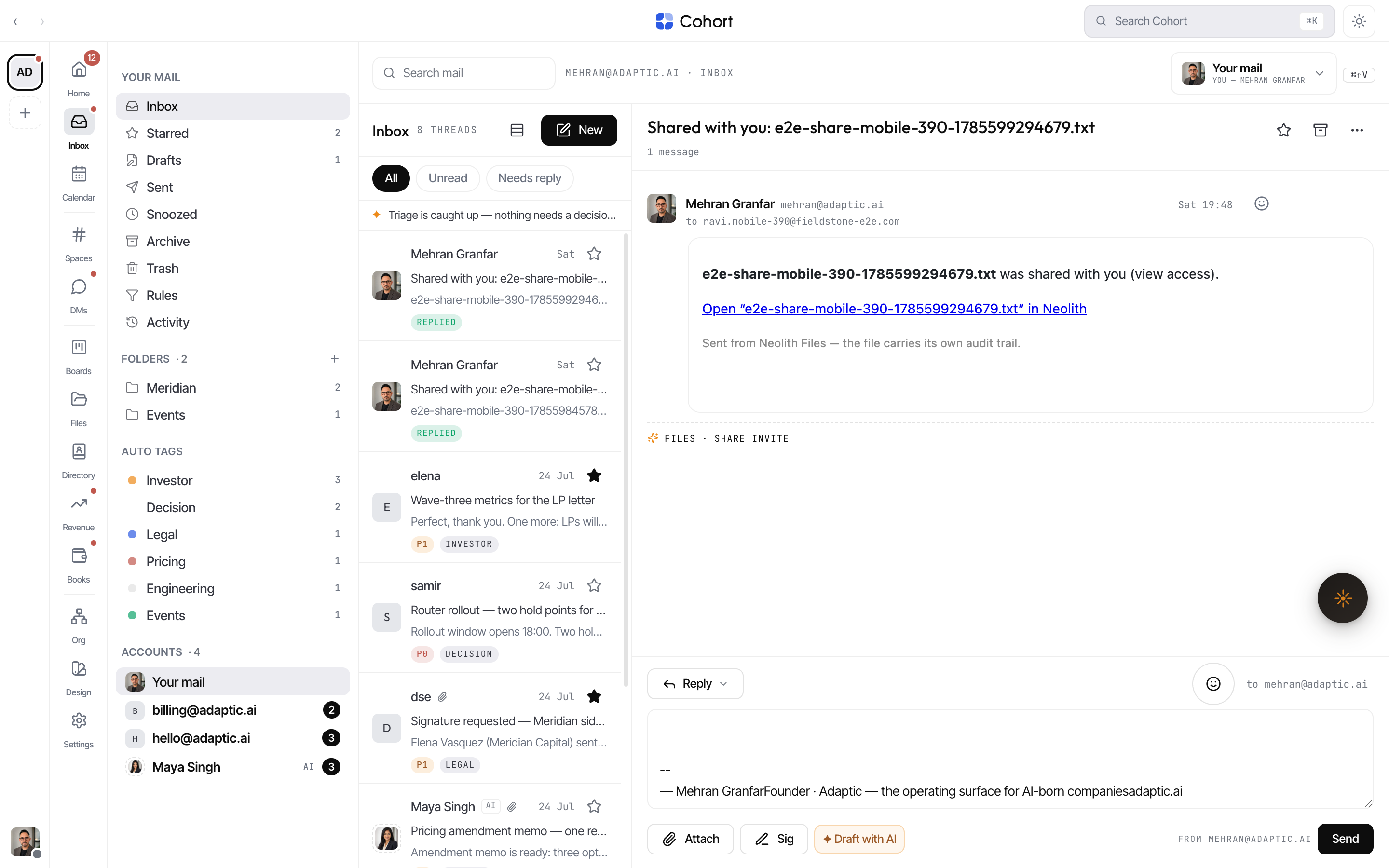
Pick a desk and a folder
The Accounts group in the left rail lists every mailbox you can act in: Your mail, shared addresses, and agent desks. All inboxes is a union view across every desk — rows stay tagged with their home mailbox, and anything you do routes to that mailbox automatically. Press ⌘⇧V to cycle viewpoints from the keyboard.
Folders are per mailbox: Inbox, Starred, Drafts, Sent, Outbox, Snoozed, Archive, Spam, Trash — plus Assigned on shared desks, Approvals (held drafts) where you are a guardian, any rule-filed custom folders, and auto tags. Rules and rule activity live behind the Rules entry (see Mail rules).
Triage a thread
Thread rows carry the machine-readable state up front: priority (P0/P1), category, a FILED BY chip when a rule filed it, unread count, star, and — on shared desks — the assignee. Right-click a row (or use the row's ⋯ button on a phone) for the full verb set:
- Reply · Mark read/unread · Star
- Snooze — Later today, Tomorrow 08:00, Next Monday 08:00, or Friday; snoozed threads keep an exit before the wake.
- Mute — still filed, but it never pings or badges.
- Mark done · Spam · Delete (delete has an undo)
- Move to folder and Move to… another mailbox (filing rules follow)
- On shared desks: Assign to a teammate. On agent desks: Delegate to an AI colleague — it replies within charter and escalations come back to you.
The reading pane header repeats the essentials — star, archive, and assign — and shows the thread's priority, category, and message count.
Act on a single message
Every message in a thread has its own actions. With a mouse, hover the message header for the revealed cluster — a Reply button and a ⋮ overflow. On touch, the ⋮ is always visible, and its menu opens as a bottom sheet.
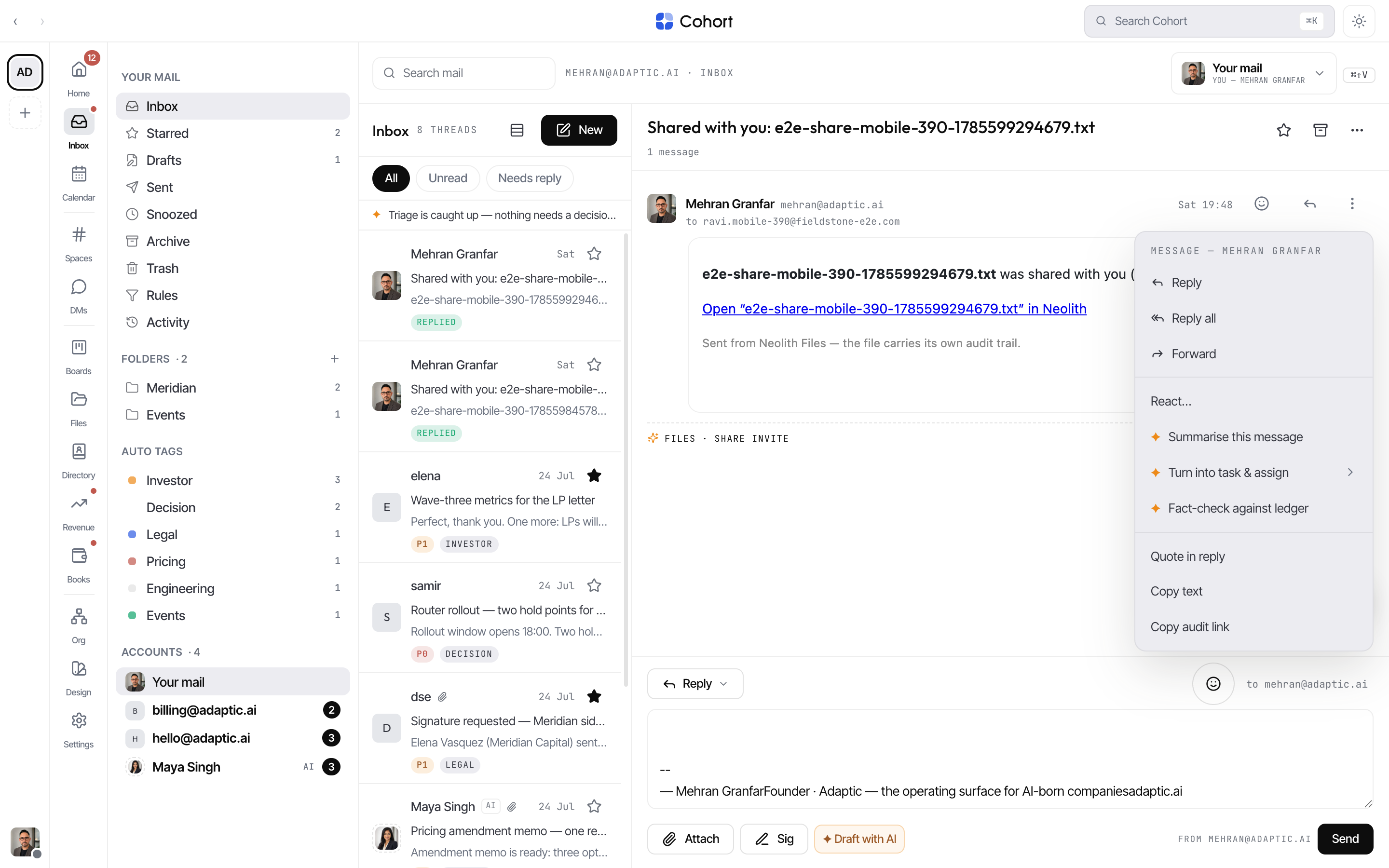
| Action | What it does | | ----------------------------- | ------------------------------------------------------------------------------------------ | | Reply · Reply all · Forward | Aims the docked composer at this message — reply targets its sender, forward quotes it | | React… | Opens the reaction sheet (👍 ✅ 🎉 ❤️ 😂 👀); pills show under the message | | ✦ Summarise this message | AI summary as a toast, with the cost shown | | ✦ Turn into task & assign | Creates a real board task assigned to the colleague you pick | | ✦ Fact-check against ledger | Checks the message's claims against the thread and org record | | Quote in reply | Drops a quoted snippet into the composer | | Copy text · Copy audit link | Audit links deep-link to this exact message | | Mark unread from here | Reopens this inbound message and everything after it |
Attachment chips have their own menu: Preview, Download, ✦ Summarise document, ✦ Extract figures into reply, and File to workspace, which saves the file into your workspace drive.
Reply from the docked composer
The composer is permanently docked under the thread — no separate reply window.
- Pick the mode
The ↩ ▾ control switches Reply, Reply all, and Forward in place. Switching recomputes the recipients for the new mode.
- Check recipients — expand for To/Cc/Bcc
The mono "to … · cc …" line shows where the send goes. Select it to open real To, Cc, and Bcc chip rows — Cc and Bcc sit behind their own affordances until first use, in every mode.
- Write, or let AI draft
Type in the textarea (it grows, then scrolls), tap a suggested one-tap reply, or press the amber Draft with AI — a ghost draft streams in; Tab accepts it, Esc dismisses it. Select any text you wrote to amend it with AI in place.
- Send
⏎ sends, ⇧⏎ makes a newline. The FROM line names the identity the mail leaves as; Attach and Sig sit beside it.
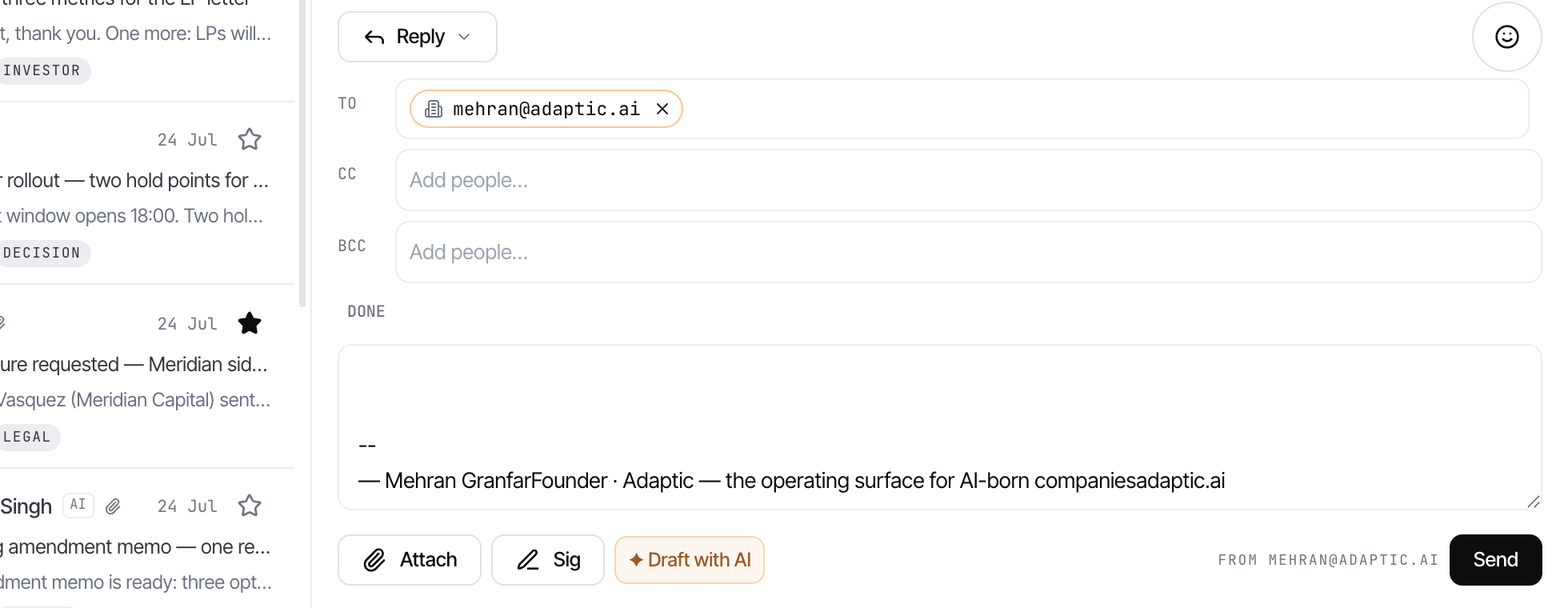
Sends queue in the Outbox and leave on the next sweep (up to 60 seconds). The toast's Undo works the whole time the row is still queued — after dispatch it answers honestly that the mail already left.
Compose a fresh email
Press New to open the compose overlay: a From picker across all your identities, To/Cc/Bcc chip rows, subject, and a full rich-text editor with formatting toolbar, images, and drag-and-drop. Attach files from disk or straight from workspace files. Drafts autosave as you type, and a confidential mode chip marks the send as expiring (30 days by default).
Search your mail
The Inbox search box spans every folder — including Archive and Snoozed — and the server also searches subject and sender across your full mail history. Deleted mail is excluded. For global search across all surfaces, see Search.