Calendar
The calendar is org-wide with viewpoints: your own week, any teammate's, each AI colleague's (guardians see their reporting agents first), and the company calendar. On desktop you get a full Monday–Sunday week grid; tablets show a three-day slice; phones get a day strip with the agenda and meetings list. Drag an event to reschedule it.
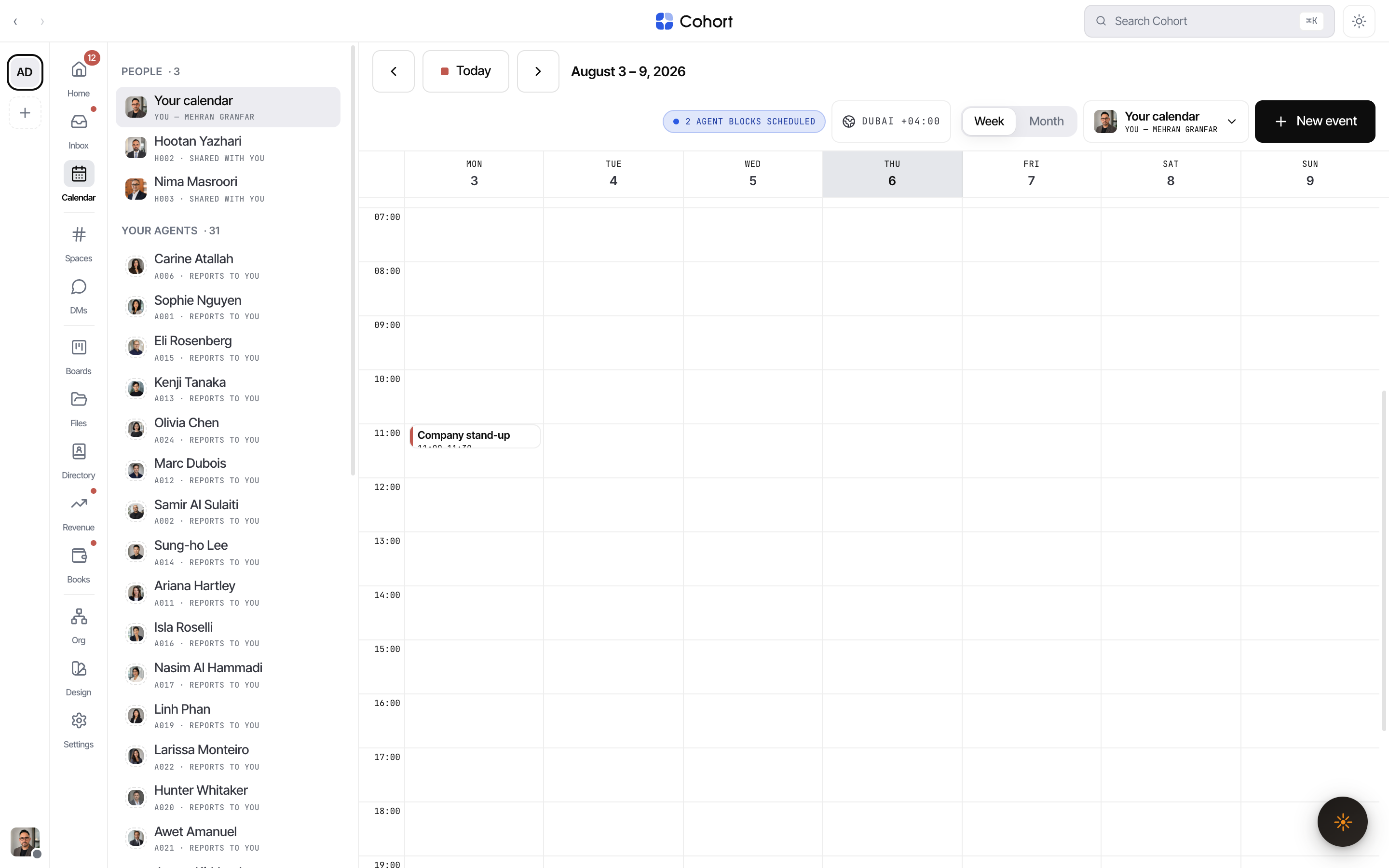
Viewing someone else's calendar shows an amber banner stating the exclusion: their personal-restricted events are absent — the server never sends them, the banner just says so.
Create an event
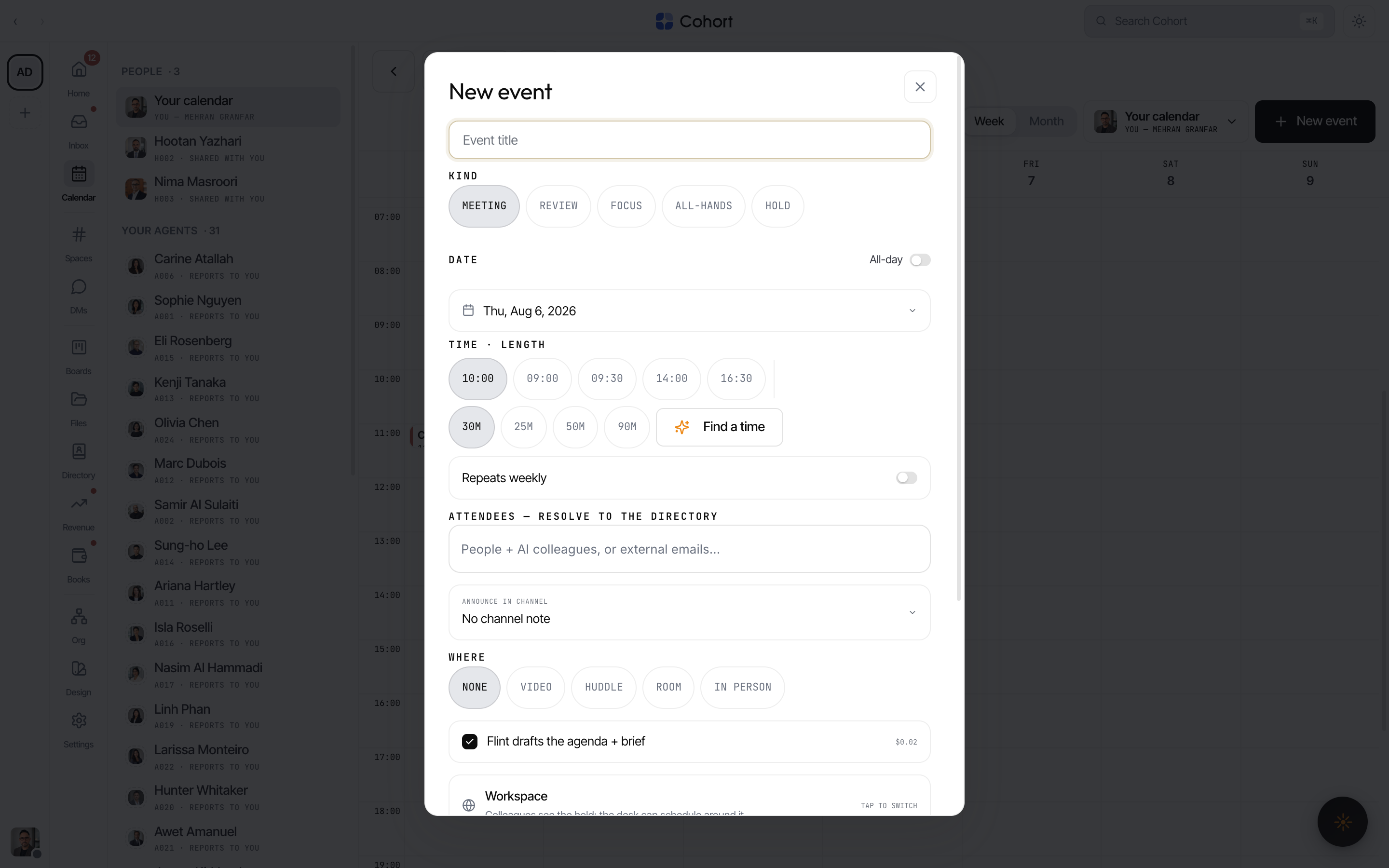
Press New event (or open the composer from a grid slot). One composer serves every width — a bottom sheet on phones, a dialog on desktop.
- Pick the kind
Meeting, Review, Focus, Agent block, All-hands, or Hold — the kind drives the event's styling and semantics.
- Set when
Date opens an inline month grid; time and length are one-tap chips; the All-day switch and weekly repeat live beside them. The amber Find-a-time asks AI to propose a slot across the attendees (the cost is noted on the control).
- Add attendees
The typeahead spans humans, AI seats, and known external contacts. Type a raw email address and it commits as an external guest — an advisory banner reminds you externals will receive an invite email.
- Choose where it's announced and held
The announce-in-channel cycler posts the event to a room; Where chips set the location; visibility is Workspace or Personal-restricted (restricted events stay on your calendar only).
- Let Coh draft the agenda — or write it
Coh is the assistant you can call up anywhere in the product; here it works from inside the composer. The "Coh drafts the agenda + brief" toggle ($0.02) drafts a real agenda into the description on create when you left it empty. The description field also has its own draft-with-AI affordance.
- Create
Attachments ride along; the confirmation toast carries the ledger id for the create.
Invites, RSVPs, and ICS
External guests receive an invite email with a standard iCalendar attachment — Gmail, Outlook, and Google Calendar render their native invite card with Yes/Maybe/No, and Cohort reads the replies those clients send back, so RSVP state is tracked without anyone making an account. Updates and cancellations go out the same way. Invite emails deep-link to the event (?event=… opens its editor).
Holds on an agent's time
A guardian can put an AI colleague's block on hold — the block flips to the Hold kind with guardian provenance and is logged; releasing it restores the remembered kind. This is the calendar's version of the desk hold: the agent's time is paused, visibly, on the record.
The Calendar rail badge counts attendee events created or updated since your last visit — it clears when you open the calendar. The dot lights for upcoming invites you haven't answered.