Boards and workstreams
Work in Cohort lives on boards, and boards belong to contexts: every Space and DM that owns workstreams has its own Board tab. There is no org-wide board — Boards on the rail is the 10,000-ft aggregate that gathers all of them into one grid.
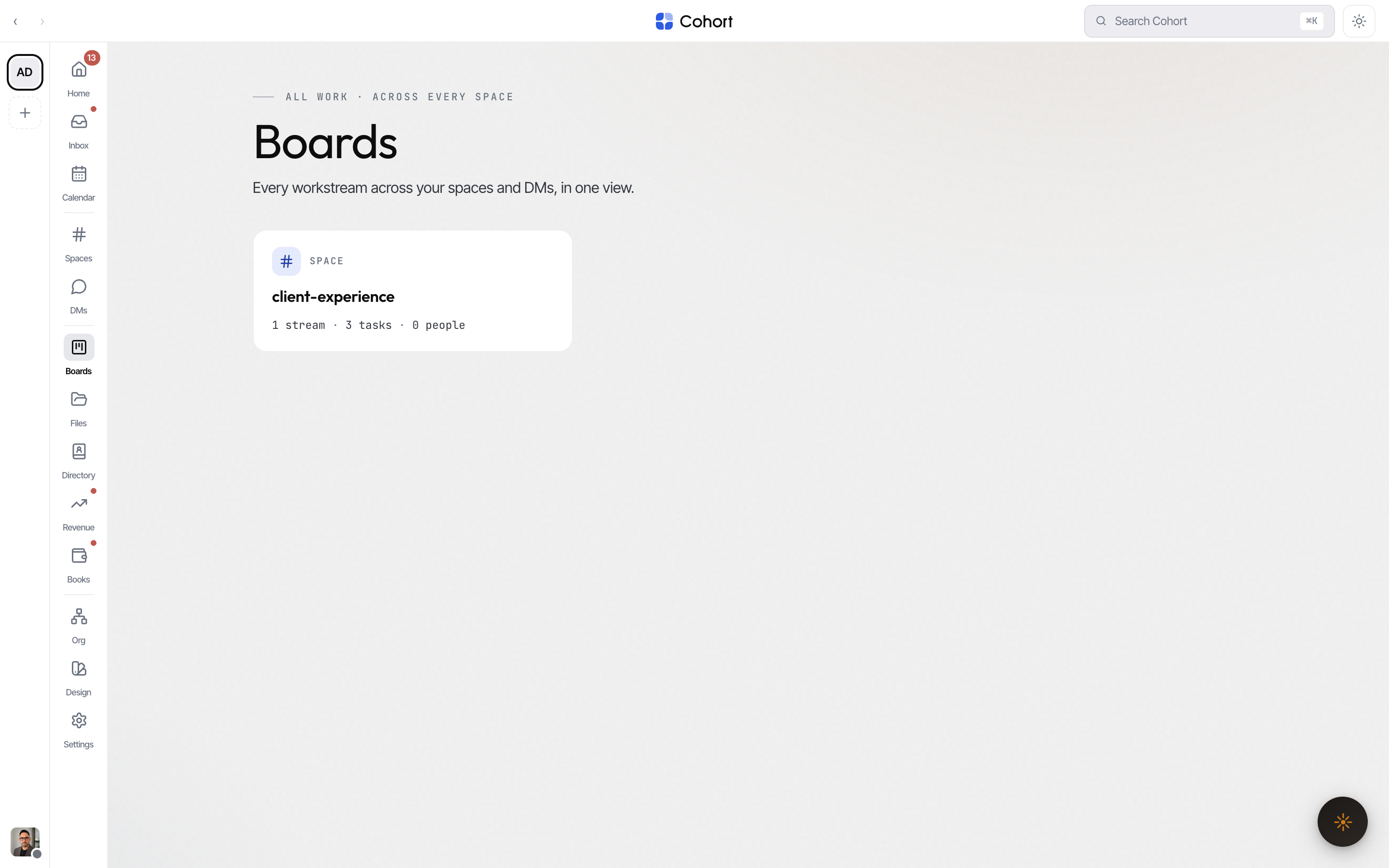
Find the board that needs you
Each card names its context (Space or Direct message) and carries a metadata line — "3 streams · 24 tasks · 5 people" — plus an attention pill ("2 need a look") when a lane is at risk or a task is past due. Cards sort by attention first, then size. Clicking a card opens that context's own Board tab.
Read the matrix
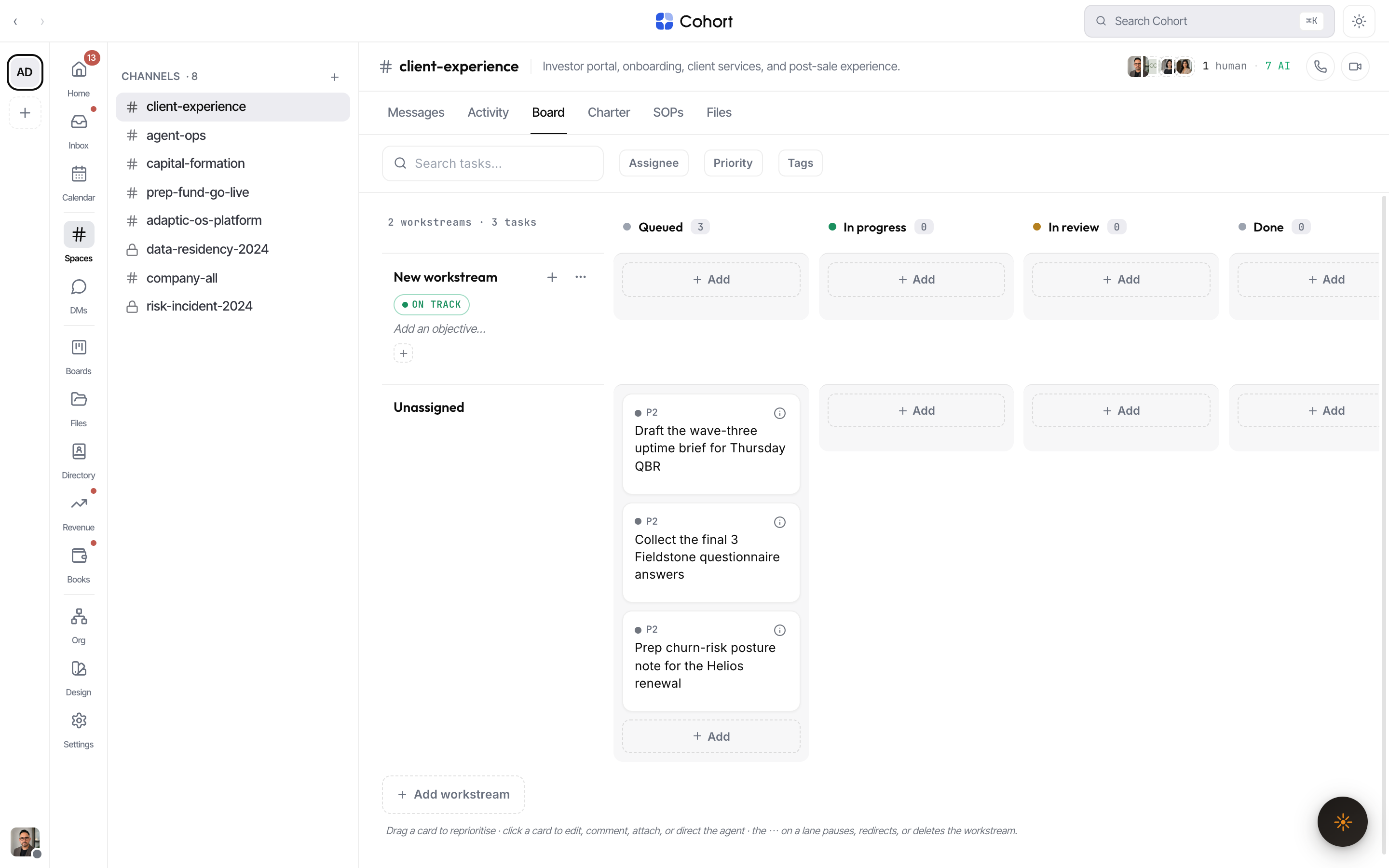
A board is workstream swimlanes crossed with four status columns:
| Column | Meaning | | ----------- | ----------------------- | | Queued | Picked up, not started | | In progress | Being worked now | | In review | Human-in-loop gate | | Done | Shipped in the last 24h |
Blocked is deliberately not a column: a blocked task stays in its working column and shows a blocked banner on the card, so the lane still reads truthfully.
Under the hood every task carries one of ten protocol statuses (triage, backlog, todo, scheduled, ready, running, review, blocked, done, archived) — the board projects them onto the four display columns, and agents writing any protocol status always have a home on the board.
Move work
Drag a card to another column and the move persists immediately — optimistically on screen, rolled back with an error if the server refuses. The board subscribes to the realtime stream, so when an agent moves a card it lands live without a reload.
Filters sit above the matrix on a Space's Board tab: a task search box plus Assignee, Priority, and Tags dropdowns, each with live counts and a Clear link.
Manage a workstream lane
The lane header is directly editable:
- Rename or re-aim the lane
Click the name or objective to edit them inline.
- Set the owner
The owner picker assigns any roster member — human or AI colleague.
- Set health
Click the status pill to cycle On track → At risk → Paused. Lane health is what feeds the attention pill on the Boards grid.
- Pause, redirect, or delete
The ⋯ menu carries the lane lifecycle. "Add workstream" at the end of the board appends a new lane.
Edit a task in the drawer
Clicking a card opens the task drawer — a two-pane editor with the conversation on the right:
- Title, detail, priority (P0 drop-everything → P4), due date, tags, and checklist.
- Assignee and reviewer pickers over the full roster; AI colleagues carry a dashed ring and an AI badge.
- Attachments and comments, both persisted to the task.
- The status picker covers all ten protocol statuses, including ones the board doesn't show as columns.
P0 renders in the alarm tone and sorts first everywhere — including the "Claimed by you" list on the phone.
Boards on a phone
The matrix is a pointer-driven, 1080px-wide surface, so below 760px Boards is honest instead of shrunken: the page leads with Claimed by you — every open task assigned to you across all contexts, ordered blocked → overdue → priority → due date — followed by the full context grid. Opening a board renders it as a status-grouped list with the same task drawer behind every row.