Approvals, holds, and signatures
Agents in Cohort act inside their charters — and when an act crosses a line, it stops and waits for a human. That waiting takes two shapes: an approval an agent files for a gated act, and a hold a desk places on a specific piece of work. Both surface in your Home needs-you queue; holds are also resolved in place on the desk that owns them.
What an approval carries
An approval request names its action class (spend, external comms, access change, and so on), its requester, an expiry, and — critically — its subject substance: the human summary, the amount, the payee. That substance renders on the card itself, above the Approve button, so you never sign a raw action class blind.
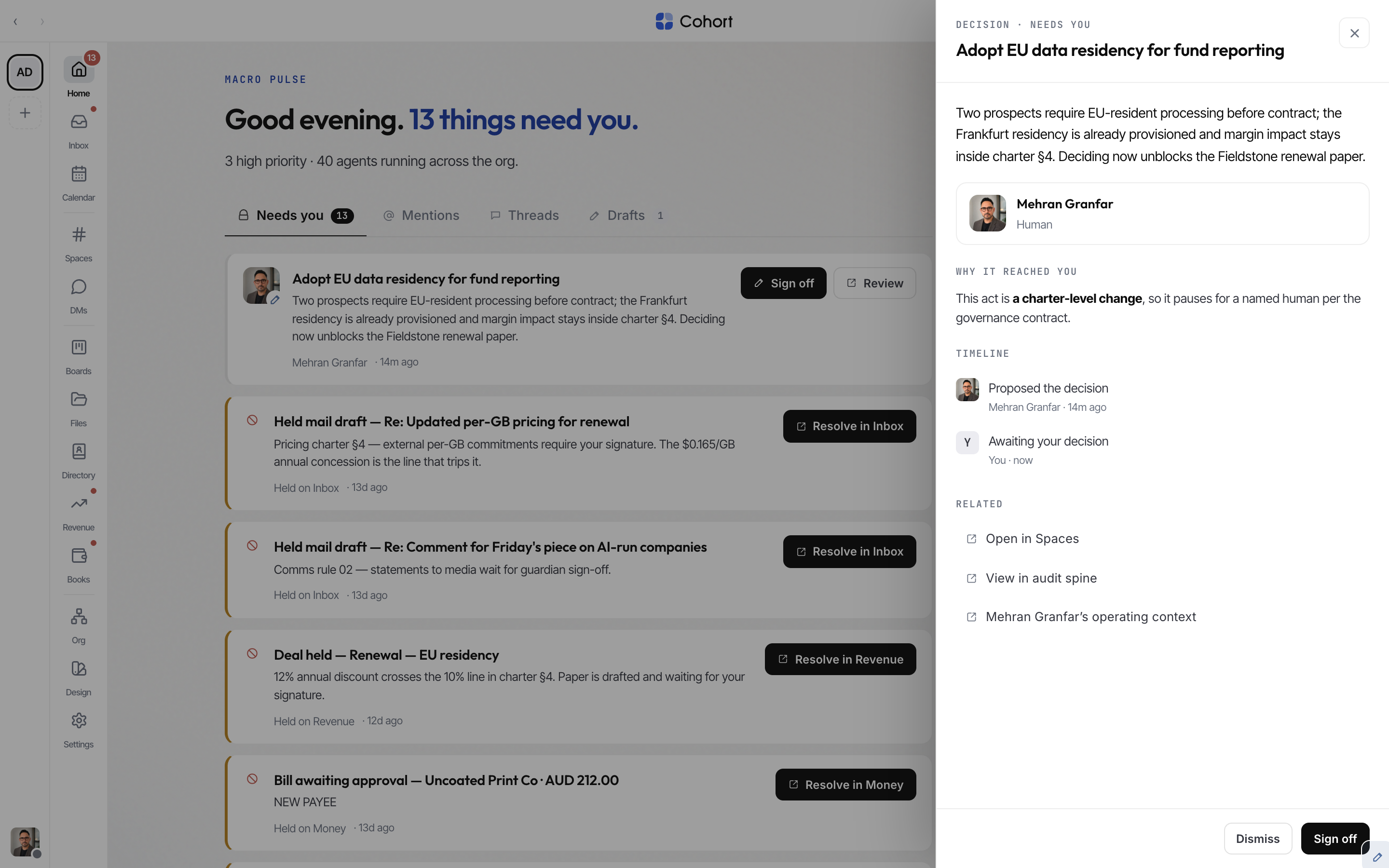
Two rules are enforced at the database, not just the UI:
- You cannot approve your own request. Requester and approver must differ, so your own filings never appear in your needs-you queue.
- Expired approvals are dead. Once past expiry an approval is no longer actionable and leaves the queue.
Approving or rejecting chains an approval.approved / approval.rejected event on the audit spine. If the approval was gating a board task, deciding it moves the task too: approved routes it to Ready, rejected sends it back to Blocked with your reason attached.
Where holds live
A hold is desk-native: the work item itself is parked in a held state until a human resolves it on that desk. The Home needs-you queue lists every hold waiting on you and deep-links each one to its desk:
| Hold | Desk | Resolved at |
| ---------------------------------------------------- | ------- | --------------------------------------------- |
| Held mail draft (policy hold in a mailbox you guard) | Inbox | The draft's thread in /mail |
| Deal held pending resolution | Revenue | The deal record — Sign and release, or Return |
| Bill awaiting approval | Money | Books → Invoices |
| Tax lodgement held for signature | Money | Books → Tax |
| Unsigned pay run (draft or held) | Money | Books → Payroll |
| Bank-feed line held | Money | Books → Reconcile |
| Invoice chase step held (step 2 and up) | Money | Books → Invoices |
The Books Today view gathers its own classes under "Waiting on you", so the money desk has one queue too.
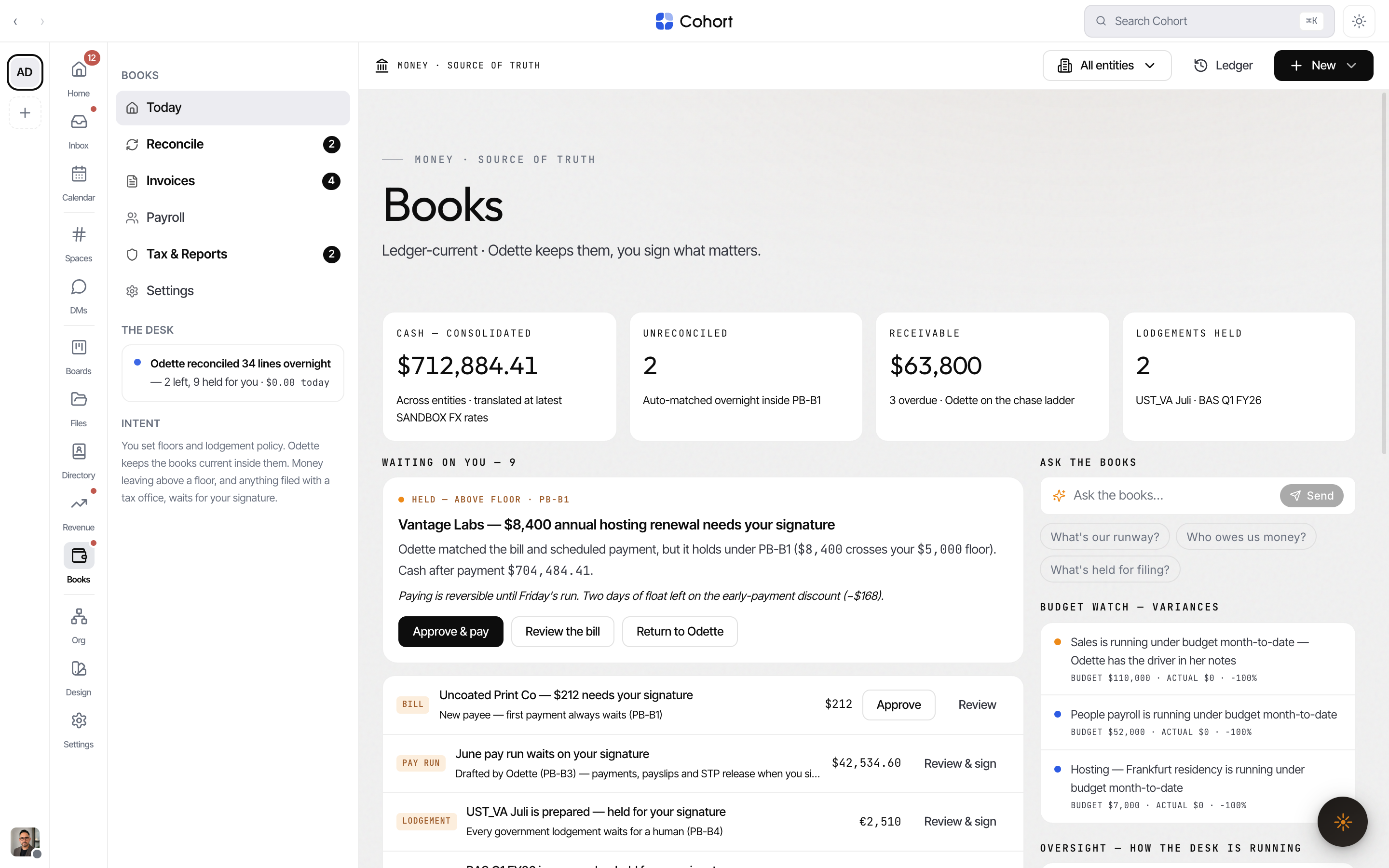
The Home rail badge, the Home headline, and the needs-you list all read the same shared union count — coordination approvals plus desk holds. If the badge says six, the page can show and resolve six.
Floors: what auto-clears and what waits
Desks decide what needs you using playbook floors. In Books, the floor policy (playbook PB-B1) sets an amount and a confidence bar: matches and spends under the floor with high confidence clear automatically; anything above it holds for a human. The PB-B0 kill switch pauses Books automation entirely. Playbooks are edited on their desk's settings surface, and every automated act still lands on the audit spine.
Signature acts
Six money-desk acts are signature acts — they complete only on cryptographic proof of a human decision, never on an agent's say-so:
- Signing a pay run
- Signing and lodging a tax obligation
- Scheduling a bill run
- An invoice chase step of 2 or higher
- The contract step of onboarding
- Resolving an above-floor match hold
When you approve one of these, the approval mints a single-use signature token bound to exactly that act — the action class, the subject row, the amounts. The agent retries its call carrying the token (or the decided approval's id) and the act completes. If anything about the act changed after you approved it, the binding fails closed and the act holds again.
- The agent hits the gate
A signature act without proof never executes — the agent is told exactly what approval to file, and one chain event records the stop.
- You decide it
The request lands in your needs-you queue and on the desk surface with its full substance. Approve it (or reject with a reason).
- The act completes — once
The minted token is single-use and expires. The completed act chains with your approval's ledger sequence, citable forever.
A bare member id is not proof. Signature acts require the HMAC token or the decided approval row — both minted only at the moment a human approved exactly this act.