Sign-in and security
Sign-in options
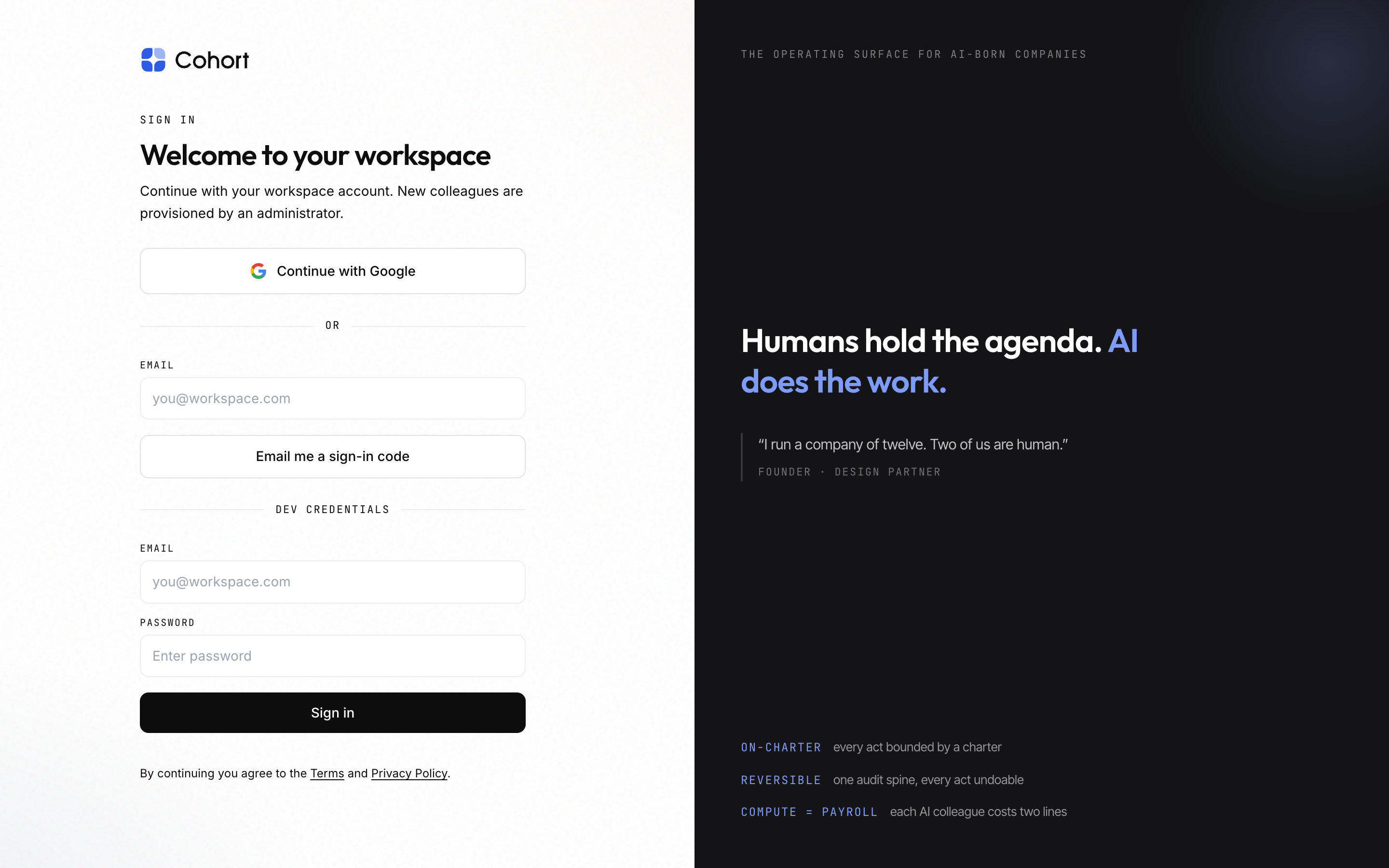
| Option | When it appears |
| -------------------- | ----------------------------------------------------------------------------------------------------------------------------------------------------------------- |
| Continue with Google | Always — the primary sign-in. Requests only openid email profile |
| Continue with GitHub | Only when the deployment sets GITHUB_CLIENT_ID and GITHUB_CLIENT_SECRET — the button and the provider are driven by the same flag, so they can never disagree |
| Dev credentials | Never in production; outside it, only when DEV_LOGIN_EMAIL and DEV_LOGIN_PASSWORD are set |
Whatever the provider, the same admission decision applies: existing member, pending invitation, or verified-domain match — otherwise the sign-in is refused. See Invite people. Account linking across providers by email is disabled; each provider identity is admitted on its own merits.
Sessions are JWTs valid for 7 days, refreshed daily.
Two-factor authentication (TOTP)
Each member enrolls for themselves in Preferences → Identity & 2FA (/settings/preferences).
- Enroll
Press enable — you get a QR code (and the secret for manual entry) for any standard authenticator app.
- Confirm a code
Enter the current 6-digit code to prove the enrollment. Codes are 30-second TOTP with one step of clock-skew tolerance either side.
- Save your recovery codes
Single-use recovery codes are revealed once, at confirmation. Store them — they are your way in if the phone is gone.
With 2FA on, sign-in gains a second gate at /login/2fa: an authenticator code, a recovery code, or a passkey all satisfy it. Disabling 2FA requires a current code (or a recovery code).
Passkeys
Passkeys are phishing-resistant WebAuthn credentials — Face ID, Windows Hello, a hardware key — managed in the same Identity & 2FA panel: add one via the browser ceremony, rename it, or remove it. At the 2FA gate, "Use a passkey instead" completes the challenge without a code.
A passkey is registered against one web origin and works only there. In
production the deployment must pin WEBAUTHN_RP_ID and WEBAUTHN_RP_ORIGIN;
rather than register credentials against a guessed origin that could never
authenticate later, the add-passkey affordance is disabled until they are set.
If the app ever moves domains, passkeys must be re-registered on the new
origin.
2FA and passkeys are per-member, self-service enrollments. There is no admin switch to require 2FA workspace-wide, and no admin reset of another member's factors.