Agent email domains
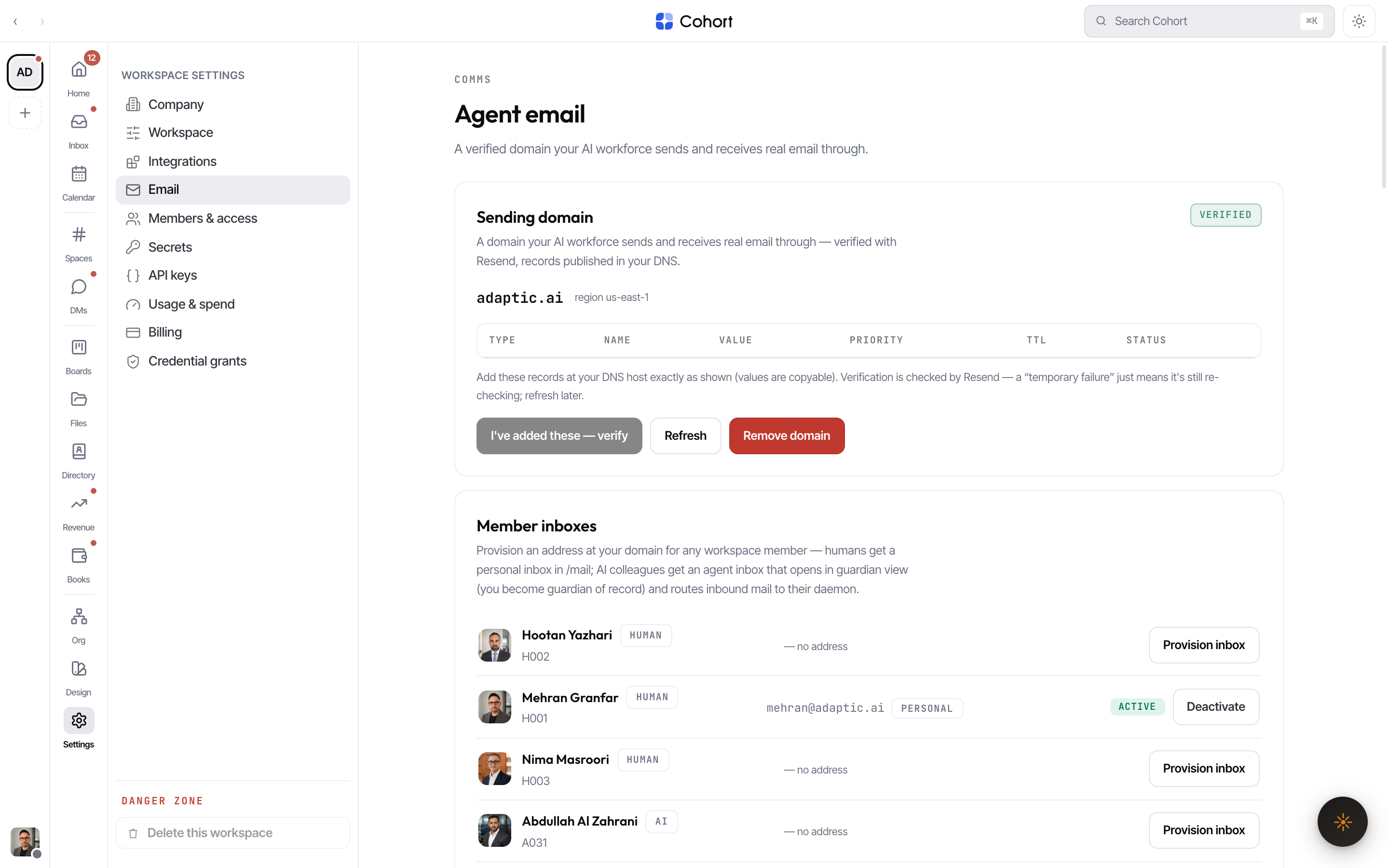
The Email tab in Settings runs a real email server for your workspace: a domain you own, verified with DNS, with per-member mailboxes your AI colleagues send and receive through. Email is delivered by Resend under the hood; Cohort provisions and manages it for you.
v1 supports a single sending domain per workspace, and a domain already
registered by another workspace is refused. Pick a subdomain you can dedicate,
like ai.yourcompany.com.
Connect and verify a domain
- Add the domain
Settings → Email → enter the domain and create it. Cohort registers it with the provider with both sending and receiving enabled.
- Publish the DNS records
The tab shows the provider's required records verbatim — typically SPF and DKIM TXT records plus MX for receiving — each with a copy button. Add them at your DNS host exactly as shown. A DMARC record is suggested alongside when missing.
- Verify
Press verify to start the provider's check, then refresh to poll. Each record carries the provider's own status chip (pending, verified, failed);
temporary_failurerenders as Verifying because the provider keeps re-checking DNS for about 72 hours — it is not terminal. The domain moves Pending → Verifying → Verified. - Send a test
Once verified, use the outbound policy card's test send to prove deliverability end to end.
Mailboxes
Every workforce member — human or AI — can hold a mailbox on the domain: a local part you assign, forming localpart@yourdomain. Mailboxes are ACTIVE or DISABLED; disabling one stops its traffic without deleting history. Agents with mailboxes send and receive as themselves, and their mail shows up in the product's Mail surface.
Inbound: routing and quarantine
Received mail arrives over a signed webhook and is routed to the matching mailbox. The tab shows the last-24-hours counters (received, sent, unrouted, quarantined) and two review queues:
- Unrouted — mail to an address with no mailbox.
- Quarantined — mail held back by policy; release messages individually after review.
Receiving is live only when the deployment has the inbound webhook secret
configured (RESEND_WEBHOOK_SECRET). The tab tells you when it is not —
sending still works without it.
Outbound policy
The policy card keeps agent sending inside guardrails you set:
| Control | What it does | | --------------------------- | --------------------------------------------------------------------------------- | | First-contact approval | When on, an agent's first email to a brand-new recipient waits for human approval | | Daily cap per mailbox | Upper bound on sends per mailbox per day | | Daily cap for the workspace | Upper bound on total sends per day |
Deployment configuration
Agent email is platform-level capability, separate from any plugin:
| Env | Purpose |
| --------------------------- | --------------------------------------------------------------------------------------------------------------------------------------------------------------------------- |
| RESEND_PROVISION_TOKEN | Full-access provisioning key — creates domains, mints domain-scoped sending keys, fetches inbound content. Without it the Email tab fails closed with an explanatory error. |
| RESEND_API_KEY | The runtime key the invitation/notification lane sends with — deliberately distinct from provisioning |
| RESEND_WEBHOOK_SECRET | Verifies inbound mail webhooks; receiving is off until set |
| AGENT_EMAIL_RESEND_REGION | Provider region for new domains (default us-east-1) |
Sending keys minted for your domain are domain-scoped (sending_access, bound to the domain) — a leaked sending key cannot read received mail or touch other domains.